Why paying to unlock a used iPhone is a scam (if you skip the IMEI check)
Millions of used smartphones change hands in the US every year. Buyers hunt for deals on Craigslist or Facebook Marketplace, often grabbing devices locked to AT&T, T-Mobile, or Verizon. The plan? Pay a cheap online service $50 for a network unlock code and walk away with a functional phone at a steep discount.
It sounds like a smart hack. Usually, it's a trap.
Countless buyers pay third-party unlocking services only to end up with a brick. The unlocking service actually does its job, but the phone remains useless because the buyer skipped a basic hardware background check. Paying for a carrier unlock without verifying the device's exact status is like paying for a custom paint job on a stolen car. You still can't drive it.
Unlocking platforms just process network requests. They don't bypass security protocols or clear stolen records. Here is how these underlying systems interact—and why running an IMEI check is your only real protection against a bad purchase.
What happens when you network unlock a blacklisted iPhone?
Nothing. You lose your money, and the phone stays disconnected. US carriers actively block blacklisted devices from registering on domestic cell towers.
The GSMA blacklist is a shared database maintained by global mobile operators. When an owner reports an iPhone stolen, or a buyer defaults on their financing plan, the carrier flags the phone's 15-digit IMEI number. That flag propagates across the entire North American cellular infrastructure. T-Mobile, Verizon, and AT&T all read from this identical registry. If your hardware identifier is on that list, the towers reject the connection. Period.
Many buyers misunderstand what an unlocking service does. These companies simply submit a request to the original carrier to change the device's network tether policy—asking permission for the phone to accept competing SIM cards. Even if that request is approved, the GSMA blacklist overrides it. An unlocked iPhone with a blacklisted IMEI is just an unlocked phone that every tower refuses to talk to. Good luck getting a refund from the unlocker; they successfully applied the network unlock, so your lack of service isn't their problem.
GSMA blacklists vs. FMI locks
GSMA blacklists block cellular connections. FMI (Find My iPhone) locks are a strict Apple security feature tying the physical hardware to a specific user account. These are completely independent systems.
A device can be completely clean on the carrier side but permanently locked by Apple. Conversely, it can be free of Apple restrictions but banned by every network operator.
Feature | GSMA Blacklist | FMI Activation Lock |
System Controller | Mobile Network Operators | Apple Activation Servers |
Triggering Event | Reported lost, stolen, or unpaid bills | Factory reset without signing out of Apple ID |
Primary Consequence | Zero cellular signal or data connection | Complete lockout from the operating system |
Carrier Unlock Effect | Unsuccessful; device remains banned | Unsuccessful; device remains bricked |
Resolution | Original owner must clear the carrier debt | Original owner must provide Apple ID password |
Why iCloud Activation Lock renders carrier unlocks useless
Activation Lock operates at the hardware and server level. It blocks all access to iOS until someone enters the original Apple ID credentials. A carrier unlock only modifies the cellular network baseband policy. That policy is completely inaccessible if you can't even get past the initial setup screen.
Apple baked the Find My architecture deep into iOS to deter theft. Turning the feature on cryptographically links a user's Apple ID to the iPhone's logic board. If you wipe the device without toggling off Find My, the phone reboots to an Activation Lock screen. It pings Apple's servers, sees it's still bound to an account, and halts.
Third-party unlocking services operate outside this ecosystem. They talk to AT&T or T-Mobile, not Apple's iCloud servers. You might successfully pay to remove network restrictions from an AT&T device. But when you restart the phone to apply the new network policy, you hit the Activation Lock. You have to reach the home screen to connect to Wi-Fi or iTunes and pull down the new carrier policy. Without the previous owner's email and password, that network unlock cannot even download to the device.
At IMEI Best, our developers see this scam constantly: a seller hands over a factory-reset iPhone booting directly to the initial setup screen. Never pay cash for a used iPhone in this state. Force the seller to activate it to the home screen right in front of you. That standard greeting screen is the easiest way scammers hide an active FMI lock.
Under the hood: Apple's security protocols
Apple secures iPhones using an isolated coprocessor that links physical hardware identifiers directly to its proprietary activation servers. Modifying the carrier policy requires a unique digital signature from Apple.
The mechanics of a network unlock rely on deeply integrated systems. Carriers don't actually unlock iPhones directly. Instead, they use a proprietary API to send an authorization token to Apple's activation servers—known internally as Albert. Albert then updates the "Next Tether Activation Policy" for that specific hardware identifier in its database.
The iPhone only applies this new unlock policy after it connects to Apple's servers and requests a new Baseband Activation Ticket. This ticket downloads to the device and gets verified by the Secure Enclave, a dedicated logic board subsystem handling sensitive cryptographic data.
If Albert detects the Find My status is actively marked as lost, it flat-out refuses to sign and issue the new Baseband Activation Ticket. The carrier unlock never reaches the modem firmware.
Timing complicates things further. Synchronization between the global GSMA database and individual carrier billing systems can lag by up to 48 hours. A scammer can buy a phone with a stolen credit card and sell it to you immediately. You pay an unlocking service, and two days later, the hardware identifier finally populates on the national blacklist.
Verify the IMEI before you pay
.webp&w=1080&q=80)
You need to check both the GSMA blacklist and FMI lock status simultaneously before handing over any money.
Every iPhone has a unique 15-digit IMEI number. You can find it in seconds by dialing *#06# in the Phone app. You can also grab it from Settings > General > About, or by pulling the physical SIM tray on older models to read the engraving.
Run that identifier through a trusted IMEI verification tool. A proper check queries global databases to reveal the hardware's true status immediately. The report will explicitly state if the device carries an active iCloud lock or a fraud flag across major networks.
Pulling this data takes less than a minute. Let the data dictate the purchase. Verify the hardware first so when you do pay for a network unlock, the phone actually boots up and connects to a tower.
Suggestion for you

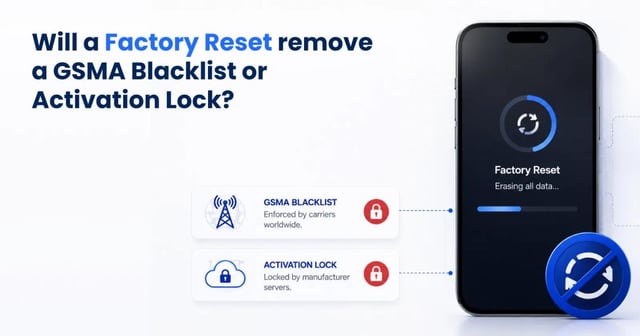
Does a Factory Reset Remove a GSMA Blacklist or Activation Lock?
A factory reset will never remove a GSMA blacklist or an Activation Lock. Learn why local data wipes can't fix remote carrier blocks, and how to check your IMEI.
Read moreAug 21, 2026
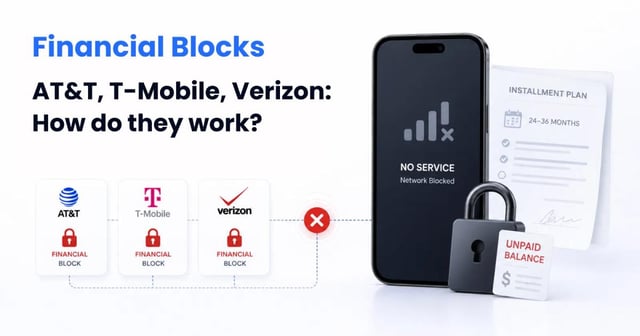
Financial Blocks from AT&T, T-Mobile, and Verizon: How Do They Work?
Learn how unpaid installment plans trigger carrier financial blocks on AT&T, T-Mobile, and Verizon. See why a blocked phone loses all network service.
Read moreAug 21, 2026
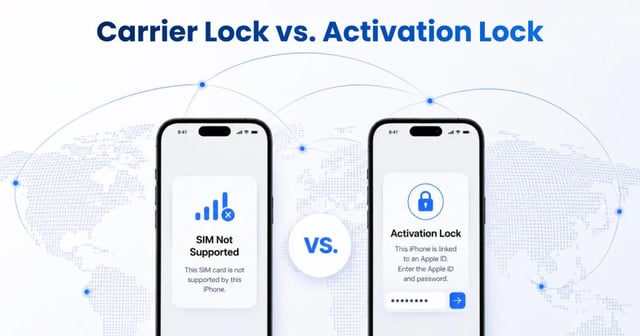
Carrier Lock vs. Activation Lock: The Invisible iPhone Restrictions Explained
Buying a used iPhone? Learn the technical difference between a Carrier SIM Lock and an iCloud Activation Lock, plus exactly how to verify both statuses securely.
Read moreAug 11, 2026