Carrier Lock vs. Activation Lock: The Invisible iPhone Restrictions Explained
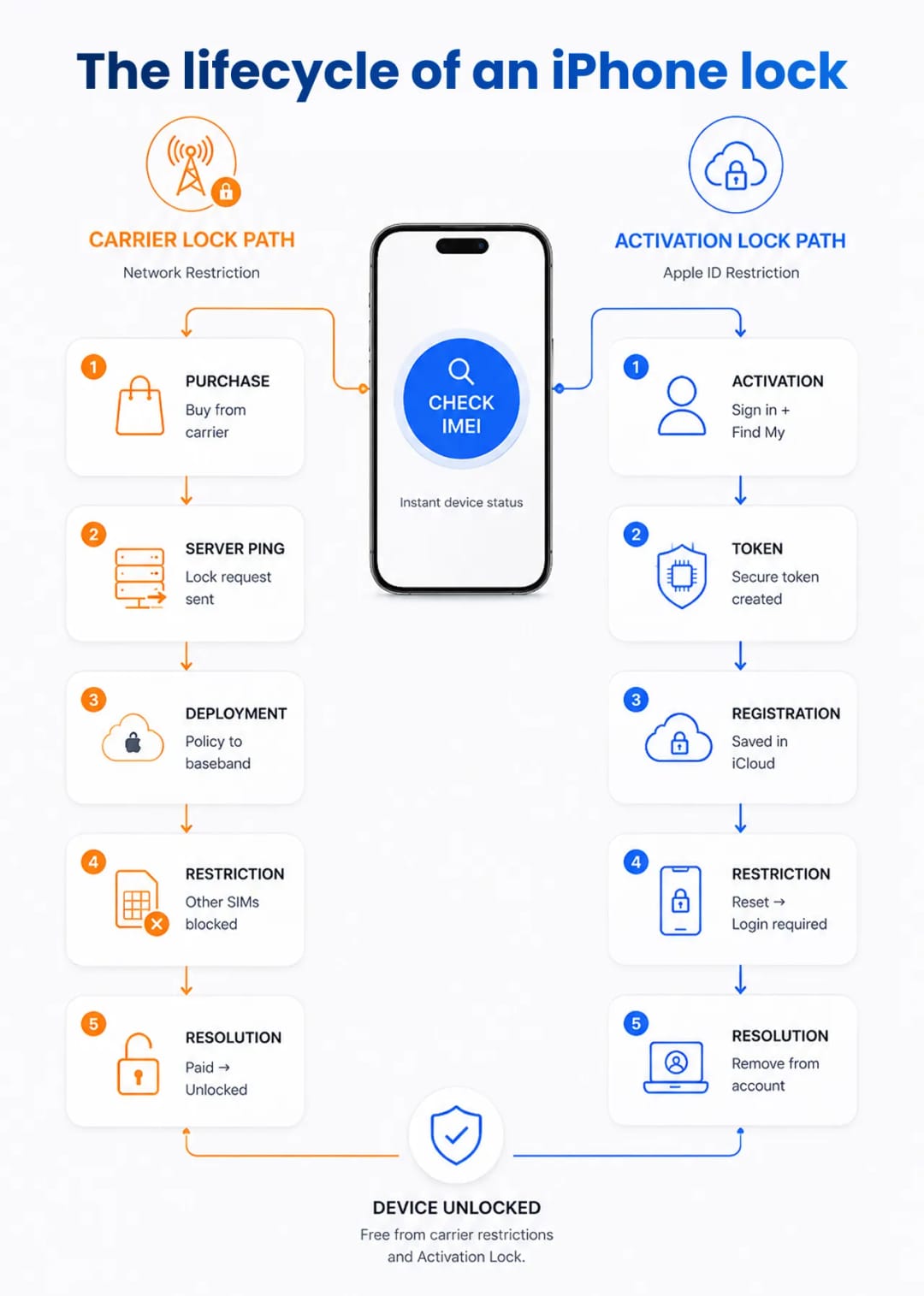
Carrier Lock restricts an iPhone's baseband modem to a specific mobile network, while Activation Lock uses verifiable server-side cryptography to block unauthorized access to the entire operating system. If you are buying a used Apple device, you must check both. A flawless exterior and perfect battery health mean nothing if remote server policies turn the hardware into an expensive paperweight. Buyers frequently confuse these two systems, assuming a network-unlocked phone automatically guarantees a clean iCloud status. Knowing the exact difference between a cellular restriction and a system-wide anti-theft lock lets you inspect secondary-market hardware like a pro.
What Is an iPhone SIM Lock?
A SIM lock is a software restriction set by a cellular carrier. It ties an iPhone to a specific mobile network. Until you meet the original contract obligations, the device will reject SIM cards or eSIM profiles from competing providers.
Carriers in the United States heavily subsidize flagship hardware. They hand over a thousand-dollar device for free—or a low monthly fee—if you commit to their network for two to three years. To stop you from taking this discounted hardware to a competitor, the carrier has Apple apply a specific network profile to the phone. The iPhone's baseband firmware constantly checks the Integrated Circuit Card Identifier (ICCID) of any inserted SIM against this approved profile.
Drop a T-Mobile SIM into an AT&T-locked device, and the baseband refuses the cellular handshake. You get a "SIM Not Supported" error. The rest of the phone works perfectly. You can connect to Wi-Fi, download apps, and take photos. The restriction acts as a digital fence around the cellular modem, not the operating system.
The Mechanics of Activation Lock
Activation Lock is an anti-theft feature tied to the Find My network. It securely links an iPhone's hardware ID to the owner's Apple ID. Once engaged on Apple's activation servers, the device cannot be erased, reactivated, or used without the original iCloud credentials.
Apple rolled this out to kill the stolen smartphone market. When you sign into iCloud and enable location tracking, the device transmits its serial number and IMEI to Apple. The system cryptographically binds that hardware identity to your account.
If a thief forces a factory reset through recovery mode, the OS triggers a server check during the very first boot sequence. The setup halts, demanding the original email and password. Bypassing this screen requires compromising Apple's encrypted servers. That is essentially impossible for street-level thieves or standard hardware hackers.
Expert Tip: At IMEI Best, we see this scam constantly. Never trust a seller's screenshot of the iCloud settings—they are incredibly easy to forge. Force the seller to factory reset the device in front of you. Proceed through the initial setup screens until you hit the Wi-Fi connection step. If it asks for the previous owner's Apple ID, walk away.
Carrier Lock vs. Find My iPhone (FMI): Core Differences
A device can be network-unlocked but perpetually stuck on the iCloud login screen. Alternatively, it might have a clean iCloud status but rigidly reject anything except a Verizon SIM. You have to check both databases separately. One clean status never guarantees the other.
Feature | Carrier Lock (SIM Lock) | Activation Lock (FMI) |
Primary Purpose | Protects carrier financing agreements | Deters theft and protects user data |
Controlling Entity | Cellular Provider (e.g., AT&T, T-Mobile) | Original Owner (via Apple ID) |
Restriction Level | Blocks unauthorized cellular networks | Blocks access to the entire operating system |
Bypass Potential | Official unlock after contract completion | Requires original owner credentials |
Offline Impact | None; functions normally on Wi-Fi | Device remains entirely locked |
How to Check IMEI Lock Status
Finding the hardware's digital footprint requires its unique identifier. Go to Settings > General > About to find the 15-digit IMEI. On active devices, you can also dial *#06# on the Phone keypad.
Modern iOS versions display the network restriction status directly on the About page. Scroll down to the Carrier Lock field. Seeing "No SIM restrictions" confirms the baseband accepts all networks. But beware: sellers can manipulate this interface on jailbroken devices.
To get unalterable, server-side proof, run the IMEI through a reputable third-party checker or a carrier's official portal. Many US carriers host bring-your-own-device (BYOD) pages where you can input the IMEI and instantly verify if it clears their internal checks.
Secure Methods for Verifying FMI Status
Apple used to host a public FMI checking tool. They killed it after malicious actors started scraping valid serial numbers. Today, checking this status remotely requires premium services hooked into Apple's Global Service Exchange (GSX) networks.
In-person verification is much safer. Ask the seller to go to their Apple ID settings, tap Find My, and toggle it off. The system will ask for their Apple ID password. Once authenticated, the server severs the link between the hardware and the account.
To be absolutely sure, wipe the device right there. A clean boot sequence that lets you skip the Apple ID sign-in guarantees a safe purchase.
Apple's Activation Policies
Apple handles all device restrictions through centralized activation servers known as "Albert." When an iPhone connects to the internet during setup, it requests a specific policy ticket to determine its lock status.
Understanding this architecture explains why these restrictions are so hard to break. It is a closed-loop conversation between local hardware and remote databases.

- Retail-Level Locking: The initial activation policy is often set right at the cash register. Major US retailers use the US Reseller Flex Policy. The phone ships unlocked from the factory but permanently locks to the network of the very first SIM card inserted during setup.
- Separate Databases: Blacklisting and carrier locking live in entirely different databases. The GSMA handles the global registry for lost or stolen hardware, while Apple's Albert servers store carrier policies. A phone can be unlocked by the carrier but blacklisted by the GSMA, making it completely unusable on domestic towers.
- Hardware-Level Security: The cryptographic keys that manage Activation Lock live deep inside the Secure Enclave. This isolated processor runs independently of the main CPU. Even if a hacker rewrites the main OS using a bootrom exploit, the FMI restriction stays intact.
- Unique Signatures: Baseband activation tickets are uniquely signed for each device. You cannot copy an unlocked activation ticket from a clean iPhone and inject it into a locked one. The cryptographic signature validates against the original device's specific CPU identifier.
Why US Carriers Lock Devices
The American cellular market runs on device financing. Providers eat massive upfront costs to acquire customers, expecting to recoup the cash over years of monthly service charges. If a provider hands you a new premium smartphone for zero dollars down, they need absolute assurance you will pay the next 36 monthly installments.
Locking the baseband tethers the hardware to their network. Each provider uses a different risk model for unlocking:
- Verizon: Automatically unlocks devices 60 days after activation, regardless of financing status, due to historical FCC spectrum agreements—provided the account remains in good standing and free of fraud flags.
- T-Mobile: Requires the device to be fully paid off and active on their network for at least 40 days.
- AT&T: Takes the strictest approach. They require full payment of the installment plan and a manual unlock request submitted through their web portal.
Hardware vs. Software Restrictions
Consumers often assume a T-Mobile iPhone has different internal antennas than a Verizon iPhone. That was true in the early days of 3G CDMA and GSM. Today, modern cellular modems support a universal spectrum of radio bands. A single logic board design covers almost all global network frequencies.
The barrier is entirely digital. When a provider authorizes a network unlock, they do not touch the hardware. They simply ping Apple's servers and update the database record for your IMEI. The next time the phone connects to the internet, it downloads a new digital signature. This instantly instructs the baseband to accept previously restricted SIM cards. The physical silicon remains completely untouched.
Final Verification Protocol
Skipping a single verification step exposes you to massive financial risk. A structured workflow ensures you catch every red flag before handing over cash. You must verify the physical interface, the carrier profile, the global blacklist, and the iCloud server status.
Verification Step | Target Restriction | Required Data | Expected Clean Result |
Check Local Settings | Carrier Lock | Access to Settings App | "No SIM restrictions" visible |
Insert Alternate SIM | Carrier Lock | Active competitor SIM | Instant signal bars, no error |
Factory Reset Device | Activation Lock | Physical device access | Boots to setup, no Apple ID prompt |
GSMA Database Scan | Network Blacklist | 15-digit IMEI | Status reads "Clean" / Not Stolen |
GSX Server Ping | FMI Status | Device Serial Number | "Find My iPhone: OFF" |
Buying used hardware off the grid demands zero assumptions. By checking the physical device behavior against remote database records, you eliminate the guesswork and ensure you are buying a fully functional device, not an expensive paperweight.
Suggestion for you

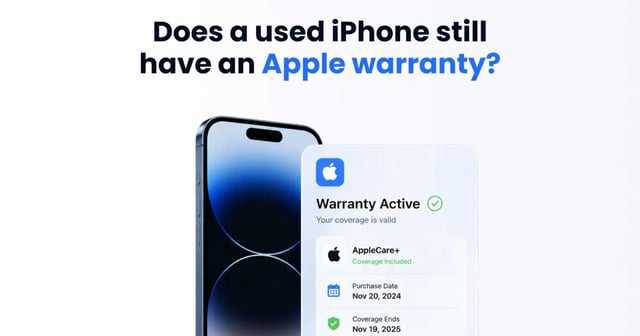
Does Buying a Used iPhone Void the Warranty? How to Check AppleCare Coverage by IMEI
Buying a used iPhone doesn't void the Apple warranty. Learn how to check your IMEI to verify the original purchase date, AppleCare status, and hardware locks.
Read moreAug 10, 2026
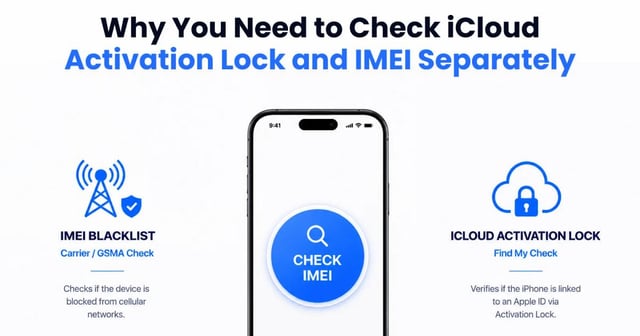
Why You Need to Check iCloud Activation Lock and IMEI Separately
Buying a used iPhone? Learn the crucial difference between an IMEI blacklist and iCloud Activation Lock. See why a clean IMEI doesn't mean a device is safe
Read moreAug 09, 2026
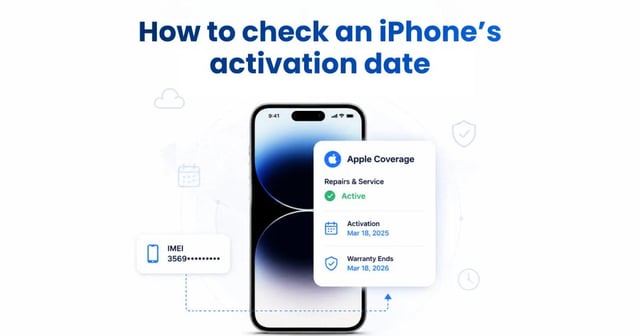
How to Check an iPhone’s Activation Date
Don't trust the purchase date when buying a used iPhone. Learn how to check Apple's server-side activation date to verify the warranty and avoid scams.
Read moreAug 05, 2026