Does a Factory Reset Remove a GSMA Blacklist or Activation Lock?
A factory reset will never remove a GSMA blacklist or an Apple Activation Lock. Resetting a device only deletes local user data saved on the internal storage. Network bans and activation locks live elsewhere—they are enforced remotely on carrier databases and external manufacturer servers.
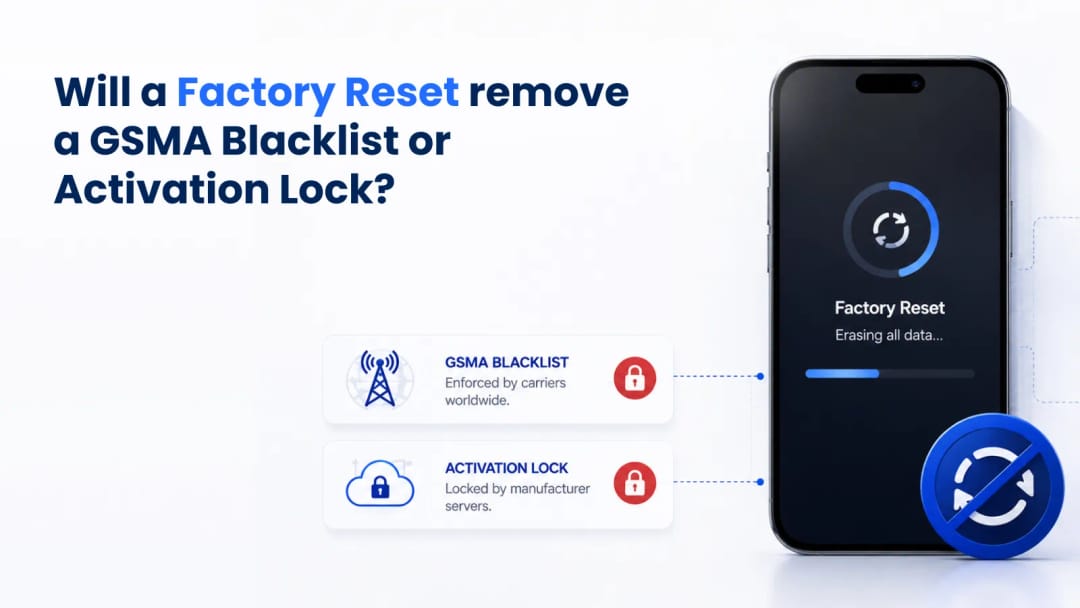
Buyers often pick up a heavily discounted used phone, discover it can't make calls or get past the setup screen, and assume a quick software wipe will fix it. That is a fundamental misunderstanding of modern mobile security architecture. When a manufacturer or carrier restricts a device, that restriction isn't stored in user-accessible memory. It is tied to the hardware's unique identifiers and managed off-device. Wiping the operating system is like formatting the hard drive on a laptop that has been banned from a corporate Wi-Fi network. The local drive is completely clean, but the network administrator is still blocking the MAC address. You must rely on external verification tools, like an IMEI checker, to confirm the true administrative status of the hardware before you buy.
Local Device Wipes Versus Cloud Security
Performing a hard reset merely overwrites the encryption keys for the local flash memory. It makes personal files inaccessible, but it doesn't touch core hardware identifiers or talk to external servers to lift administrative restrictions.
Modern smartphones use file-based encryption. When you erase all content through system settings, you trigger a cryptographic wipe. The processor destroys the keys that make your photos, messages, and apps readable, and the OS reinstalls a fresh user interface. This mechanism exists strictly for user privacy, ensuring the next owner can't recover your data.
It has zero interaction with the cellular baseband firmware or the secure enclaves communicating with global carrier networks. The phone’s operating system is just a sandbox. It manages your apps and camera, but it lacks the authority to dictate terms to a cell tower or an activation server. The moment a freshly wiped phone tries to join a network or verify its setup, those external servers recognize the hardware and immediately reapply the lockouts.
How the GSMA Blacklist Actually Works
The GSMA blacklist is a global, synchronized database shared among mobile carriers. It records the hardware identifiers of devices reported as lost, stolen, or tied to unpaid financing. When a blacklisted device pings a cell tower, the network actively rejects the connection—regardless of the phone's software state.
Every mobile device has an International Mobile Equipment Identity (IMEI), a 15-digit sequence hardcoded into the baseband processor. When you insert a SIM card, the baseband modem broadcasts this IMEI to the nearest tower. The carrier's equipment identity register cross-references the IMEI with the global GSMA registry. If the device was reported stolen or has defaulted payments, the database flags the IMEI. The cell tower immediately denies network access.
Your phone will display "No Service" or "Network Locked." The OS has no say in this decision. The rejection happens entirely over the air, between the modem and the carrier's infrastructure. You can reset the phone a thousand times; the block lives on the carrier's servers, not in your hand.
Feature | Local Factory Reset | GSMA Blacklist | Apple Activation Lock |
Controlled By | Current device holder | Mobile network carriers | Manufacturer servers |
Primary Target | Local NAND storage files | Cellular baseband connectivity | Setup and usability interface |
Database Location | On the physical device | Global carrier registries | Remote cloud infrastructure |
Bypass Potential | N/A (Standard feature) | Impossible via software wipe | Requires original owner credentials |
The Mechanics Behind Apple Activation Lock
.webp&w=1080&q=80)
Activation Lock is a strict server-side security protocol permanently tied to the iCloud account previously logged into the device. During initial setup, the phone must ping Apple's activation servers, which instantly block access until the correct Apple ID credentials are provided.
Apple engineered this to deter theft by rendering stolen hardware useless. When an owner enables Find My, the device securely transmits its unique serial number and IMEI to Apple. The servers bind that hardware to the owner's specific iCloud account. If someone forces a hard reset via recovery mode, the phone boots to the "Hello" screen. To progress, the OS forces a Wi-Fi or cellular connection. The phone silently contacts Apple's servers, which check the hardware ID. Recognizing the device is still bound to an account, the server sends a lock signal. The interface halts the setup and demands the original email and password. Wiping the phone doesn't remove the lock—it acts as the trigger forcing the phone to re-verify its status.
At IMEI Best, our developers see this scam constantly: sellers handing off a phone that hasn't been properly cleared. Always insist the seller resets the iPhone to the "Hello" screen and sets it up to the home screen right in front of you using their own Wi-Fi or hotspot. If they claim they forgot the password or the battery died, walk away immediately.
Why the Baseband Always Wins
Understanding the hardware architecture shows exactly why software wipes fail against remote locks. The baseband processor, cryptographic digital signatures, and global registry synchronization operate independently of the user interface and OS partitions.
The engineering separation between user data and network authentication is foundational to mobile security. The main application processor—which handles the OS and UI—is entirely separate from the baseband processor. The baseband runs its own proprietary, closed-source real-time operating system. Executing a factory wipe only formats the storage connected to the application processor. The baseband memory, housing the IMEI and cryptographic network certificates, remains untouched.
Network synchronization is not instant, but it is deliberately fast. Once a carrier flags a device, syncing across the shared GSMA registry typically takes anywhere from a few hours up to 24–48 hours, depending on the carrier and reporting method. Buyers can't exploit geographical loopholes or switch carriers to evade a blacklist. The moment the modem pings a new tower, the updated registry drops the connection.
Manufacturer activation protocols rely on advanced cryptographic nonces rather than simple text requests. When an iPhone attempts to activate, it generates a cryptographic signature that the external server must validate. The server responds with a unique, signed activation ticket. The local Secure Enclave chip verifies this ticket before unlocking the logic board. This verifiable server-side proof cannot be spoofed offline, and the chip cannot be bypassed.
Altering hardware identifiers to escape a blacklist carries serious legal risk in the United States. The federal Wireless Telephone Protection Act makes it a crime to knowingly use or possess equipment intended to alter a device's telecommunications identifier — and IMEI tampering is widely treated as falling under this and related fraud statutes. Device manufacturers lock down the baseband memory with write-protection and digital signature checks. Tampering with these partitions typically results in a permanently bricked logic board, turning the device into electronic waste. Deep-rooted engineering defenses make verifying the IMEI through a trusted checker the only viable way to ensure a device is free from restrictions before buying.
Suggestion for you

Financial Blocks from AT&T, T-Mobile, and Verizon: How Do They Work?
Learn how unpaid installment plans trigger carrier financial blocks on AT&T, T-Mobile, and Verizon. See why a blocked phone loses all network service.
Read moreAug 21, 2026
How to Check an iPhone’s Activation Date (And Why the Purchase Date Lies)
Don't trust the purchase date when buying a used iPhone. Learn how to check Apple's server-side activation date to verify the warranty and avoid scams.
Read moreAug 12, 2026
Lost Your Phone? How to Check if It Was Successfully Added to the GSMA Blacklist
Lost your phone? Learn how to verify if your IMEI is blacklisted in the GSMA CEIR database and confirm your carrier blocked network access worldwide.
Read moreAug 14, 2026