What Does the Replaced Status Mean on an iPhone
Key Takeaways
A “Replaced” iPhone is an Apple replacement device issued when Apple swaps the original iPhone during a warranty claim or official repair. In other words, “replaced by Apple” means that the original device was exchanged for another factory-certified unit.
This is different from a phone repaired with replacement parts or a third-party refurbished iPhone.
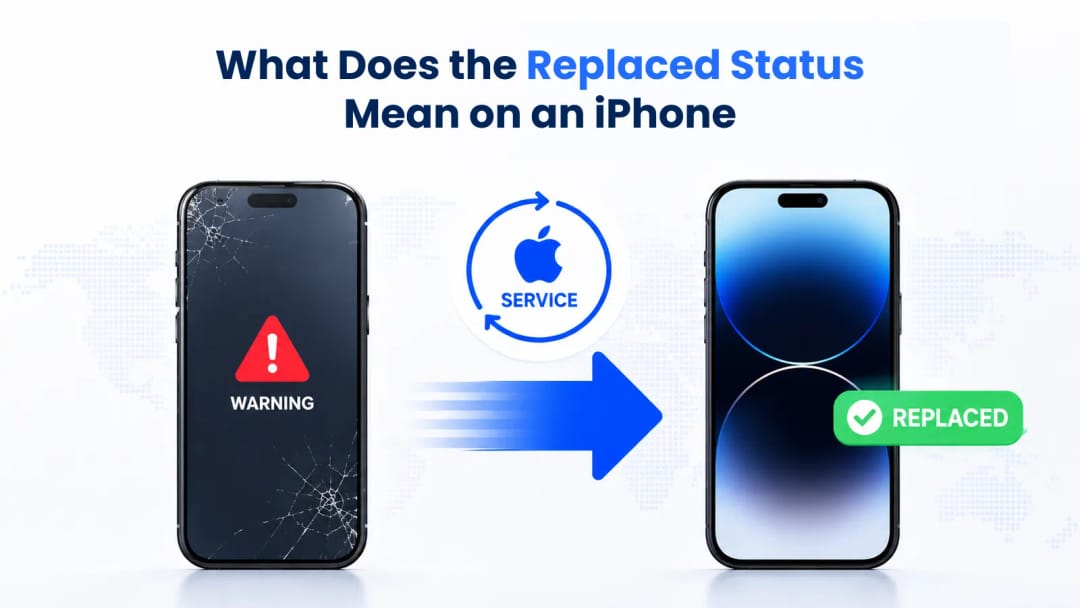
If you're buying a used iPhone, seeing a "Replaced" status can be confusing. But it’s actually a standard process. When an Apple Store tech finds a major hardware issue, they rarely fix the logic board right then and there. Instead, they transfer your data to a new unit and register the broken one as "replaced" in their global system. This keeps wait times down and customers happy. The replacement simply takes over whatever warranty is left from the original purchase. You can easily check the current standing of any device using the active IMEI check form on this page.
How Do I Know if My iPhone is a Replacement Unit
You can spot a replacement iPhone by looking at its model number in the device settings. If it's a replacement, the first letter usually starts with an "N" instead of an "M". Checking the IMEI through a dedicated database is also a great way to see its exact history and network status.
To find this info, just go to Settings, tap General, and select About. Look at the Model Number row. Standard retail phones start with "M", while Apple gives "N" to authorized replacements. Refurbished models start with "F", and personalized ones with custom engraving get a "P". Software checks are a great starting point, but checking the hardware identifiers gives you the full picture.
Expert Tip from IMEI.best: "Don't just trust the model number you see in iOS. Scammers can easily fake that letter on jailbroken devices. Running a live database check on the 15-digit IMEI is the only way to know for sure what you're buying."
Understanding Model Prefixes
Model Prefix | Device Origin | Hardware Condition |
M | Standard Retail Purchase | Brand new, sealed in original box with standard accessories. |
N | Warranty Replacement | Brand new components, given in a plain service box. |
F | Apple Certified Refurbished | Reconditioned by Apple with a new battery and outer shell. |
P | Personalized Unit | Standard retail device customized with factory engraving. |
Why Are iPhones Replaced Under Warranty
Apple replaces iPhones when the original device has a major hardware issue that the Genius Bar can't fix on-site. Common reasons include logic board shorts, severe screen assembly problems, or factory defects that pop up right after you buy the phone.
It's all about efficiency. A tech might fix a broken camera in an hour, but diagnosing a micro-soldering problem takes way too long for a retail store. Giving you a replacement gets you back to your life immediately. Apple then ships the broken phone to a central facility where it’s stripped down to recycle materials and salvage working parts.
Apple Original vs Replaced IMEI Hardware Differences
There are zero internal hardware or performance differences between a retail iPhone and an official Apple replacement. Both go through the exact same strict quality checks at the factory before they reach a customer.
Buyers sometimes worry that replacement units are made of cheap, used parts. That's a myth. Apple actually makes dedicated batches of iPhones just for their warranty program. These phones have brand-new batteries, perfect screens, and fresh cases. The only real difference is the box it comes in—Apple hands out replacements in plain white boxes instead of the branded retail ones.
Feature | Original Retail Unit | Official Replacement Unit |
Battery Cycle Count | Zero cycles out of the box | Zero cycles out of the box |
Internal Components | Factory new | Factory new |
Packaging | Branded box with accessories | Plain service box, no accessories |
Database Registration | Logged as initial sale | Linked to the original device's history |
Under the Hood of Apple Diagnostic Protocols
Apple uses strict internal diagnostic tools to decide if a phone needs a full replacement or just a simple part swap. They check specific thermal, electrical, and sensor data to make sure a claim is legitimate and to prevent warranty fraud.
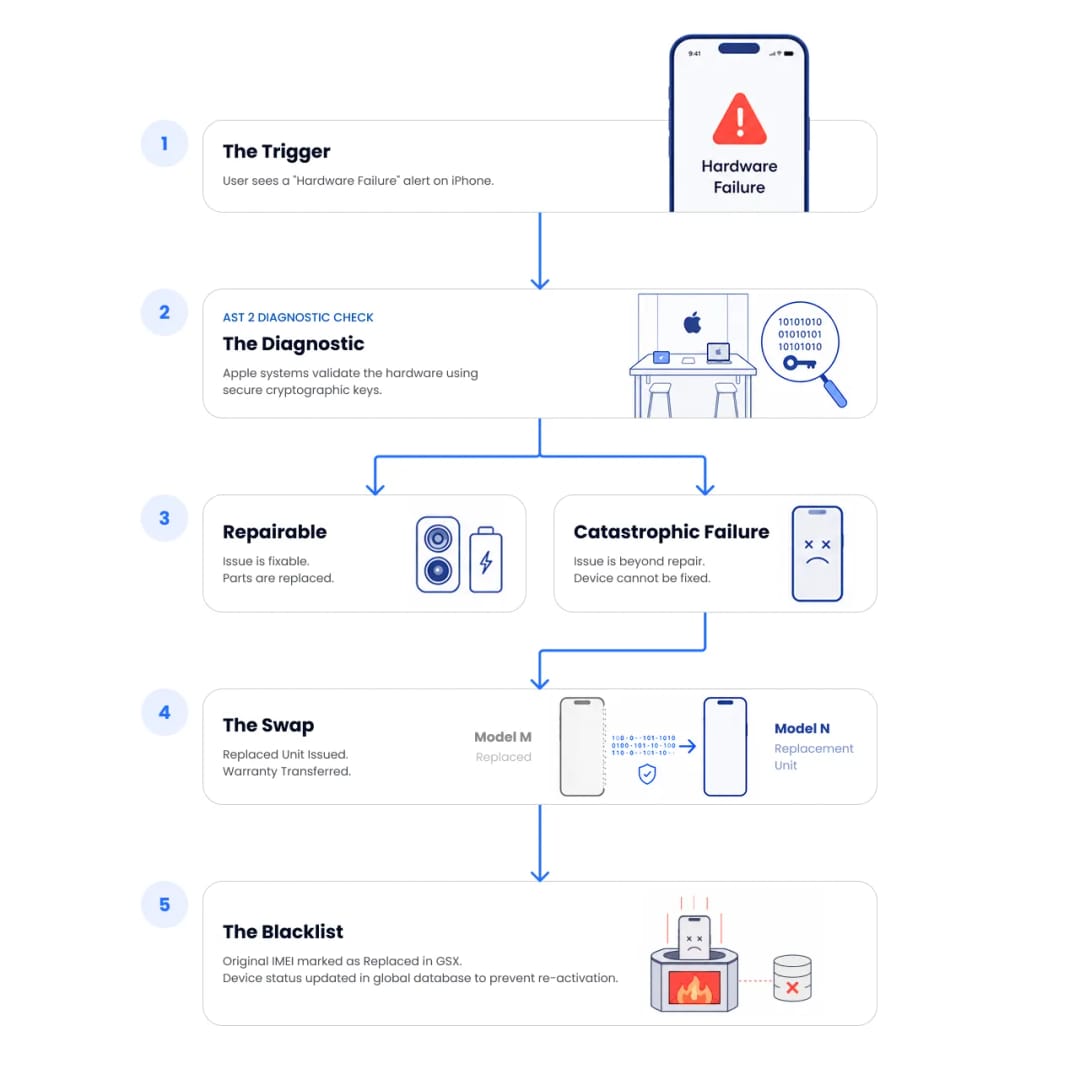
Their cloud-based software, Apple Service Toolkit 2, talks directly to the iPhone's Secure Enclave to verify every internal part. It instantly spots aftermarket screens or third-party batteries. Once a device is replaced, the status of its original IMEI and serial number is updated in Apple's Global Service Exchange database to record the exchange and prevent re-activation. They also check internal liquid indicators to ensure they're only replacing phones with actual water damage, not just ones exposed to high humidity.
Is a Replaced iPhone Worth Buying on the Used Market?
Buying a legitimately replaced iPhone is usually a very safe bet on the used market. Since it's a replacement, it likely has a fresh battery and a flawless screen. You just need to make sure the replacement was actually authorized by Apple.
These phones offer great value. Because the phone was swapped later in its lifespan, the battery health is almost always at a perfect 100%. But you still need to be careful. Sometimes, scammers claim a phone was lost or stolen, get a replacement from Apple, and then try to sell both phones.
Expert Tip from IMEI.best: "If our database shows a device as 'Replaced' but a private seller is still trying to sell you that original broken or lost phone, walk away. Apple hands those original IMEIs over to a global blacklist, so the phone will eventually stop working."
Running the IMEI through our replaced status check tool protects your money. A quick search gives you the full history of the device, giving you the confidence to negotiate a fair price or avoid a scam altogether.
Suggestion for you
Can Someone Track or Hack Your Phone Using Only the IMEI Number?
Can someone track or hack your phone with your IMEI? Learn what an IMEI reveals, who can access network data, and why sharing it does not expose your phone or location.
Jul 23, 2026
"Invalid IMEI" Error. 5 Reasons Why Your IMEI Number Is Not Recognized
Is your IMEI not recognized or showing as invalid? Learn the five common causes, including MEID confusion, logic board swaps, counterfeit phones, software damage, and formatting errors.
Jul 20, 2026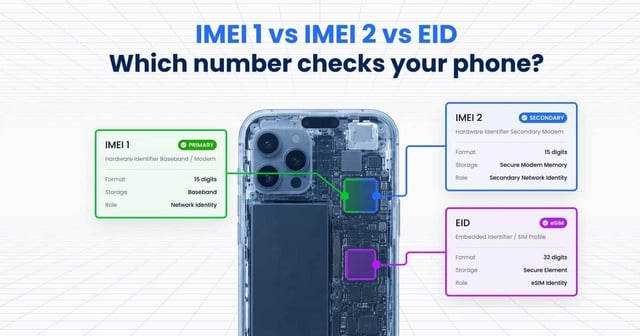
IMEI 1 vs. IMEI 2: Which Number Should You Use?
Learn the difference between IMEI 1, IMEI 2, and EID, which IMEI to use for blacklist checks, and which number is required for eSIM activation.
Jul 15, 2026