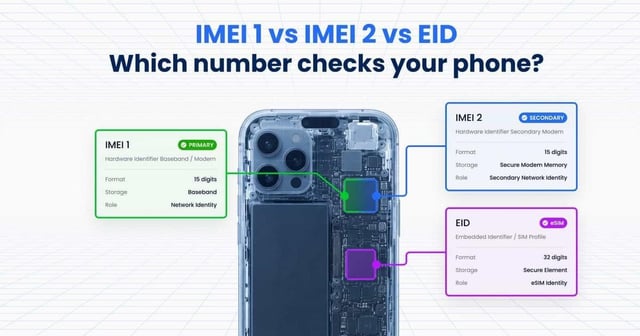
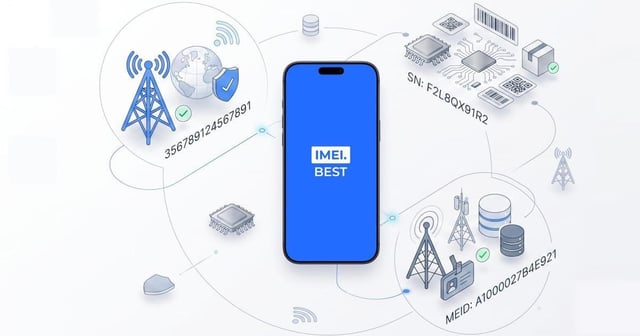
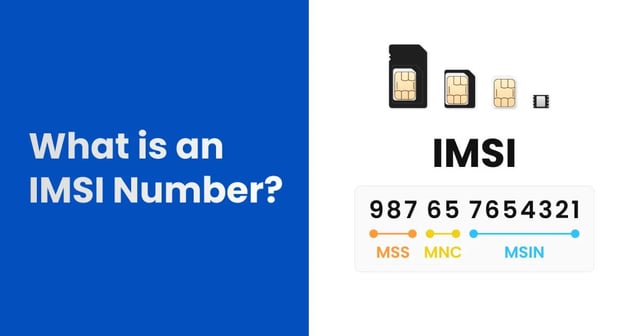
Getting an "Invalid IMEI" or "Not Found" error means the 15-digit serial number entered does not match active records in the global GSMA database. This mismatch occurs due to input errors, hardware alterations, unauthorized software flashing, or counterfeit manufacturing.
Encountering an error message when verifying a mobile device identity triggers immediate concern for both private buyers and wholesale resellers. The International Mobile Equipment Identity serves as the digital fingerprint of a cellular device, authenticating it on carrier networks across the USA and globally. When a query returns a negative result, the device in question becomes a high-risk asset. Private buyers face the financial danger of purchasing a useless piece of hardware, while resellers risk processing batches of unsellable inventory. You will find an active IMEI validation form directly on this page to securely test your device credentials right now. Understanding the exact root causes behind validation failures requires looking past the surface error and examining the hardware, software, and database synchronization processes that govern mobile telecommunications.
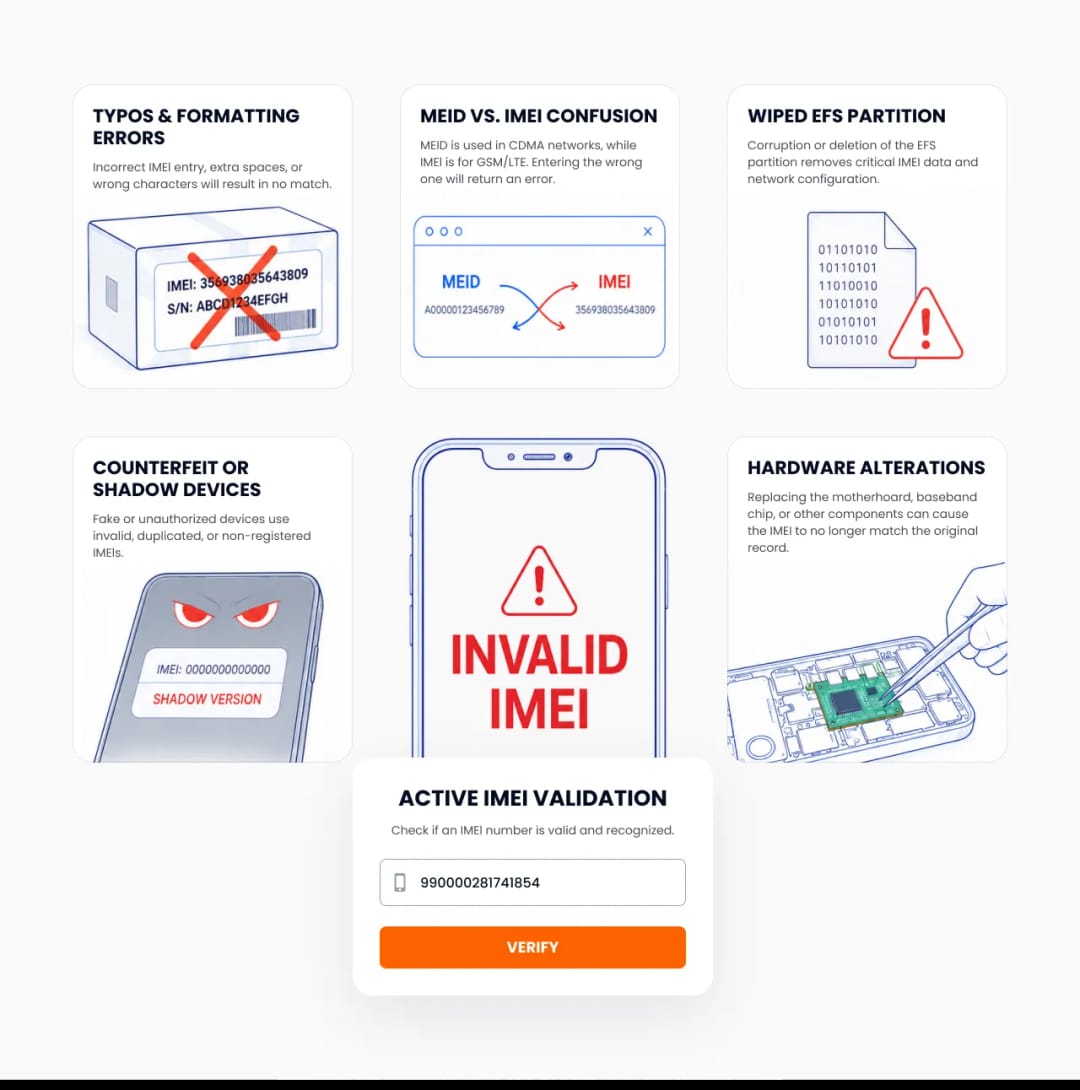
Why Is My IMEI Number Not Recognised Globally
Your IMEI number is not recognised because the global registry cannot validate the specific combination of digits against known manufacturer allocations. The GSMA issues specific Type Allocation Codes to authorized brands, and deviations trigger an immediate invalid status.
The global telecommunications infrastructure relies on a centralized database managed by the GSM Association. Every legitimate smartphone manufacturer must apply for blocks of numbers before production begins. When you query a device, the system checks if the first eight digits correspond to an approved manufacturer and model. If a factory in another region produces unauthorized batches, or if a software manipulation tool randomly generates a sequence, the resulting number lacks a verified Type Allocation Code. Network operators in the USA constantly synchronize their local Equipment Identity Registers with the GSMA master database. A failure to recognize the number indicates that the specific digital signature has never been formally documented, effectively making the smartphone an undocumented ghost on the cellular network.
Reason 1. Are You Confusing the MEID With the IMEI
Users frequently confuse the 14-digit Mobile Equipment Identifier (MEID) with the 15-digit International Mobile Equipment Identity (IMEI). Entering an MEID into a standard validation tool universally triggers an invalid error because it lacks the mandatory 15th Luhn check digit required for global database verification.
The USA mobile market historically operated on two distinct cellular technologies. Carriers like Verizon and Sprint utilized CDMA networks requiring the MEID, while AT&T and T-Mobile built GSM networks dependent on the IMEI standard. Structurally, these identifiers are entirely different. An MEID consists of 14 alphanumeric characters in hexadecimal format (0-9, A-F) and rarely utilizes a mathematical check digit. Conversely, a valid IMEI strictly contains 15 decimal numbers (0-9).
While modern LTE and 5G connections globally mandate the 15-digit IMEI standard, manufacturers continue to print both identifiers on packaging and within software menus to support legacy hardware. This dual-labeling creates the most common human error during verification. Users transcribing the shorter, hexadecimal MEID string guarantee a failed database query. When testing a smartphone before purchase, buyers must explicitly locate the label marked with the 15-digit sequence to prevent unnecessary panic regarding the legitimacy of a perfectly functional device.
Reason 2. How Do Logic Board Swaps Break Validation
Swapping a logic board changes the core identity of the phone because the network identifier is hardcoded into the baseband processor on the new board. If a repair technician installs a replacement board, the original IMEI physically printed on the phone's chassis (on iPhones, starting with the 14th generation, the chassis engraving is absent and remains only on the SIM tray, while US-market models have transitioned entirely to digital identifiers) will no longer match its digital identity.
The secondary market relies heavily on refurbishing damaged electronics. A common repair for severe water damage or catastrophic failure involves replacing the entire main logic board. The cellular modem and its associated non-volatile memory chips reside on this board. Consequently, the repaired device inherits the digital identity of the donor device. A buyer inspecting a used smartphone might read the laser-etched sequence on the SIM card tray or the back glass and enter it into a checker. The checker might flag it as invalid or belonging to a completely different model if the housing comes from an aftermarket supplier who randomly printed a fake sequence on the glass.
Expert advice from imei.best: "Always pull the serial data directly from the software dialer rather than trusting the physical engravings on the chassis. Aftermarket housings and components often feature generic or mathematically impossible IMEI sequences on the glass or SIM tray that will instantly fail any legitimate database lookup."
Checking the internal software settings becomes the only reliable method to ascertain the true identity of a refurbished unit. Resellers processing large wholesale batches must utilize diagnostic software that reads the baseband data via USB connection rather than relying on visual inspections of the exterior housing, which frequently mislead buyers regarding the true origin and condition of the logic board inside.
Reason 3. Is Your Smartphone a Counterfeit Clone
Counterfeit smartphones generate invalid errors because illicit manufacturers randomly generate 15-digit numbers without registering them through the GSMA. These fake numbers lack a valid Type Allocation Code and fail mathematical verification instantly.
The proliferation of visually identical clone devices poses a significant threat to private buyers. Unlicensed factories produce Android-based devices engineered to mimic the external hardware and software interface of premium flagship models. To connect to cellular networks, these clones require a radio identifier. Instead of paying for legitimate allocations, counterfeiters flash illicitly generated numbers into the baseband memory. Sometimes, factories flash the exact same sequence into thousands of distinct units. When you attempt to validate a clone, the lookup tool dissects the number and checks the manufacturer allocation. A counterfeit sequence usually points to an obscure, discontinued feature phone from a decade ago, or it simply fails the fundamental algorithmic check. Verifying this data acts as the ultimate defense against purchasing a clone, as counterfeiters cannot successfully fake the global database records regardless of how convincing the physical hardware appears.
Reason 4. What Happens During an EFS Partition Wipe
Wiping or corrupting the Embedded File System (EFS) partition on an Android device erases the radio calibration data and the digital serial number. The device will report a null, generic, or completely invalid identifier, permanently losing cellular network access.
Advanced users and unauthorized repair shops frequently modify device firmware by unlocking bootloaders and installing custom ROMs. The internal storage architecture of modern smartphones includes a heavily protected partition dedicated solely to radio frequency calibration, baseband certificates, and network identity. On many architectures, this is known as the EFS or NVRAM partition. A failed software flash, an interrupted system update, or aggressive rooting procedures can corrupt this delicate sector. Once corrupted, the baseband processor cannot read its own identity.
The operating system will subsequently display "Null," a series of zeros, or a generic placeholder sequence in the settings menu. Submitting a corrupted or generic string to a validation tool results in an immediate failure. Restoring a wiped partition requires specialized cryptographic backups created before the modification took place. Without these backups, the hardware becomes effectively useless for telecommunications, relegated to functioning merely as a Wi-Fi-only media player.
Reason 5. System Lags and Formatting Mistakes
Simple formatting mistakes like including spaces, dashes, or entering the wrong Luhn check digit will break the validation query. Brand new devices might also return an invalid status simply because the manufacturer has not yet pushed the latest batch records to carrier databases.
Database queries demand absolute precision. Users manually typing a long string of numbers often introduce typographical errors. Adding a single space at the end of the input string, inserting hyphens as they appear on the retail box, or misreading a digit instantly changes the mathematical payload sent to the API. The validation system interprets these formatting anomalies as malformed requests and rejects them. A standard identifier breaks down into specific functional segments. The first 8 digits form the Type Allocation Code, which identifies the specific manufacturer and device model. This is followed by a 6-digit Serial Number that uniquely identifies the exact unit within that model batch. The final single digit is the Luhn Check Digit, which validates the structural integrity of the entire preceding sequence. Optionally, a 2-digit Software Version can replace this check digit to indicate the baseband firmware version.
Timing also plays a critical role in system recognition. When a major manufacturer launches a new flagship model, millions of new identifiers enter the supply chain simultaneously. The GSMA and regional carriers require time to synchronize their respective databases. A private buyer testing a unit purchased on release day might encounter a temporary validation error. This specific lag resolves itself organically as network operators refresh their Equipment Identity Registers, typically within a few business days following a major hardware launch.
The Technical Mechanics Under the Hood
The underlying architecture of device identity relies on cryptographically signed baseband certificates and real-time database querying via API. Validating an identity involves running the Luhn algorithm locally before transmitting the payload to central Equipment Identity Registers.
Understanding the engineering behind network authentication clarifies why certain validation errors occur. The system operates on strict mathematical and cryptographic principles designed to prevent unauthorized access and cloning.
Firstly, the final digit of the sequence is never random. It is calculated using the Luhn algorithm, a checksum formula designed to detect accidental transposition errors. If you enter a string where the check digit does not mathematically align with the preceding fourteen numbers, the system rejects it locally before even pinging the external database. Secondly, modern smartphone basebands utilize secure enclaves to store this data. Unlike older devices where the identifier resided in easily modifiable flash memory, current processors cryptographically bind the identity to the CPU. Thirdly, when a device powers on, it transmits its identity to the carrier's Mobile Switching Center. The MSC queries the Equipment Identity Register, sorting the hardware into white, grey, or black lists based on its validity and theft status. Finally, the introduction of the IMEISV standard appends a two-digit software version to the string, assisting networks in tracking firmware vulnerabilities without altering the core hardware identity.
How Can You Check IMEI Verification Status Accurately
You can check validity accurately by typing star pound zero six pound on your dialpad to retrieve the digital serial directly from the baseband. Input this exact 15-digit string without spaces or special characters into the verified lookup tool available on this page.
The most secure method for retrieving device credentials bypasses the physical housing and the operating system's standard settings menus. Opening the native phone dialer application and executing the standard USSD command queries the modem directly. The screen will instantly display the hardcoded network identity.
Expert advice from imei.best: "Never rely on a screenshot provided by a seller. Always input the dialer code yourself during an in-person meetup to ensure the baseband memory hasn't been spoofed by modified operating system software."
Once you secure the correct sequence, type it into the active validation form provided on this website. Ensure you enter only numerical characters. The tool will instantly parse the Type Allocation Code, verify the Luhn checksum, and query the global registry. The resulting report will confirm the exact model, storage capacity, and network status, allowing you to quickly determine if the hardware matches the seller's claims.