Why You Need to Check iCloud Activation Lock and IMEI Separately

Aug 09, 20265 min read

Buying a used iPhone is risky. Handing over cash in a parking lot after a quick glance at the signal bars is a great way to get scammed. A working cellular connection just proves the hardware is allowed on a network. It tells you nothing about who legally owns the operating system. You are essentially buying a car with clear license plates while the engine computer remains permanently locked by the previous owner.
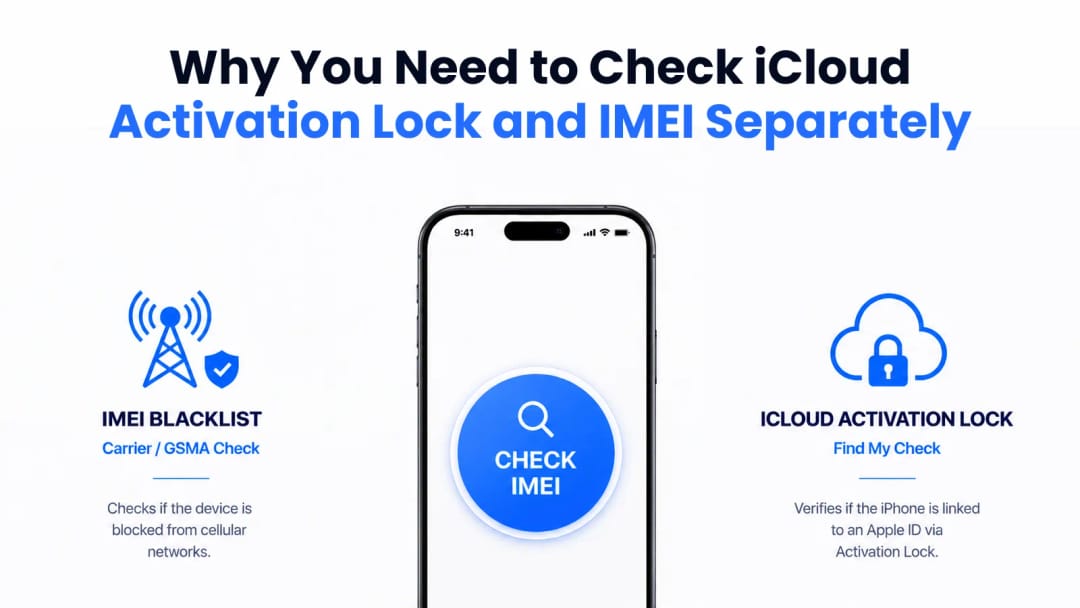
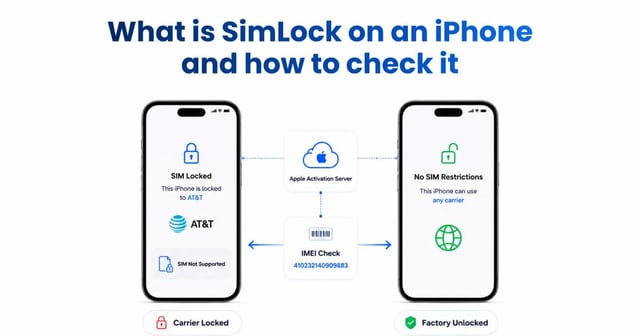
Infographic showing iPhone IMEI carrier blacklist check vs. Apple iCloud Activation Lock.
IMEI checks verify network status. iCloud Activation Lock requires a separate software check.


To verify a used iPhone, you have to check two entirely different systems: the carrier blacklist (IMEI) and Apple's software tether (iCloud Activation Lock).

The Functional Divide

Telecom carriers manage IMEI blacklists. Apple manages iCloud Activation Lock. These two databases do not talk to each other.

Carriers care about hardware subsidies and network integrity. If someone finances an iPhone 15 Pro through AT&T and stops paying after two months, the carrier flags the IMEI. That phone loses access to North American cellular towers. However, AT&T has zero access to the user's Apple account. The phone will still connect to Wi-Fi and function like an iPod Touch.

Conversely, if a fully paid-off phone gets stolen, the rightful owner will lock it via iCloud. The cellular provider sees a perfectly clean financial record. Apple, however, permanently blocks access to the user interface. Relying on a single diagnostic check only covers half your risk.

Feature

IMEI Blacklist

iCloud Activation Lock (Find My)

Managed By

Telecom carriers and the GSMA

Apple (via proprietary activation servers)

Triggered By

Unpaid bills, network reports, insurance fraud

User enabling Find My, remote lock via iCloud

The Result

Blocked from cellular networks; Wi-Fi works

Blocked at the setup screen; completely unusable

The Fix

Paying off the carrier balance

Entering the original Apple ID and password

Clean vs. Lost Status

A "Clean" iCloud status means Find My may be enabled, but the device has not been reported as lost or stolen by the owner. Usually, this happens when a seller wipes the device settings but forgets to sign out of their Apple ID first. The phone sits at the setup screen waiting for the right password. In these cases, you can often just ask the seller to remove the device from their account remotely.

A "Lost" status is a massive red flag. The owner explicitly triggered a remote security protocol marking the hardware as stolen property. A custom message usually displays on the screen. Buying a phone in this state means you are handling stolen goods, and no legitimate repair shop will touch it.

At IMEI Best, we see this scam constantly. A seller will claim they can easily bypass a 'Lost Mode' lock later using special software. Don't fall for it. When the status shows as Lost, walk away immediately. The cryptographic token tying that specific silicon to the owner is unbreakable without the original password.

How Apple Locks Down the Hardware

Apple separates cryptographic keys from the main operating system using the Secure Enclave processor. If a thief completely formats the storage drive, the server-side activation requirement easily survives the wipe.

It comes down to a zero-trust architecture. When Find My is turned on, the iPhone registers its unique identifiers with Apple. During any future setup attempt, the local bootloader pauses the boot sequence. It forces a connection to Apple's servers. Apple then sends back a cryptographically signed ticket. Without this exact digital ticket, the main application processor refuses to load the interface. Brute-forcing this is mathematically impossible because the device doesn't store the password. It holds a secure hash that must perfectly match Apple's remote calculation.

Under the Hood

Modern iPhone hardware and iOS turn a powered-off smartphone into a persistent tracker. By leveraging Bluetooth Low Energy, a stolen device stuck in Lost Mode silently pings passing Apple devices. It updates its geographic location on the owner's map even when the battery appears completely dead.

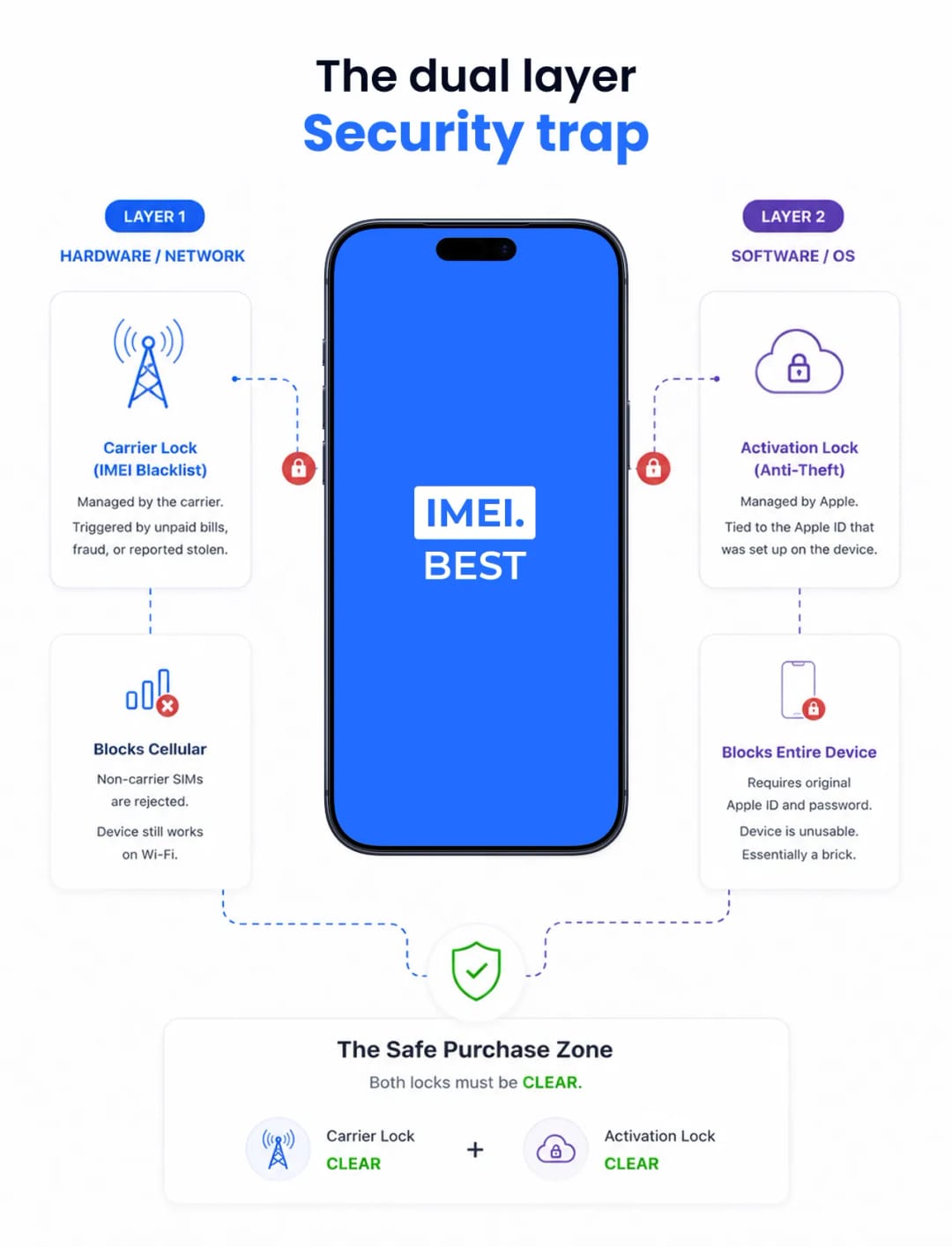
Infographic: Dual layer security trap showing Carrier Lock vs Activation Lock on an iPhone.
A safe purchase requires both the Carrier Lock and iCloud Activation Lock to be cleared.


The hardware locks run deep. A proprietary microkernel inside the Secure Enclave prevents iOS malware or forced firmware downgrades from altering the anti-theft flags. When a device is factory wiped via recovery mode (DFU), the internal storage is genuinely destroyed. Yet, the logic board retains a microscopic flag instructing the bootloader to halt until it receives server clearance.

Thieves can't just desolder and swap the NAND storage chip to bypass the lock. Apple ties these hardware signatures directly to the logic board CPU. Bypassing it requires replacing the entire logic board, which costs roughly as much as buying a brand new phone.

The Verification Process

Never accept digital screenshots from a marketplace seller. Scammers routinely overlay clean diagnostic reports onto stolen device identifiers using Photoshop.

Get the physical device in your hands. Pull the fifteen-digit IMEI or Serial Number directly from the Settings menu or the SIM tray.

Run that number through two separate checks on your own phone:

  1. Query a global carrier database to ensure there are no financial blocks or blacklist flags.
  2. Use an Apple-specific API tool to verify the Find My software tether is completely disconnected.

The only acceptable outcome is the Find My toggle showing as disabled. If the system reports it as active, hand the phone back. Make the seller erase all content and settings right in front of you. Watch them type their credentials to sever the digital tether. You don't own the hardware until the setup assistant lets you skip the Wi-Fi connection step without demanding an Apple ID.


Suggestion for you