How to Check an iPhone’s Activation Date
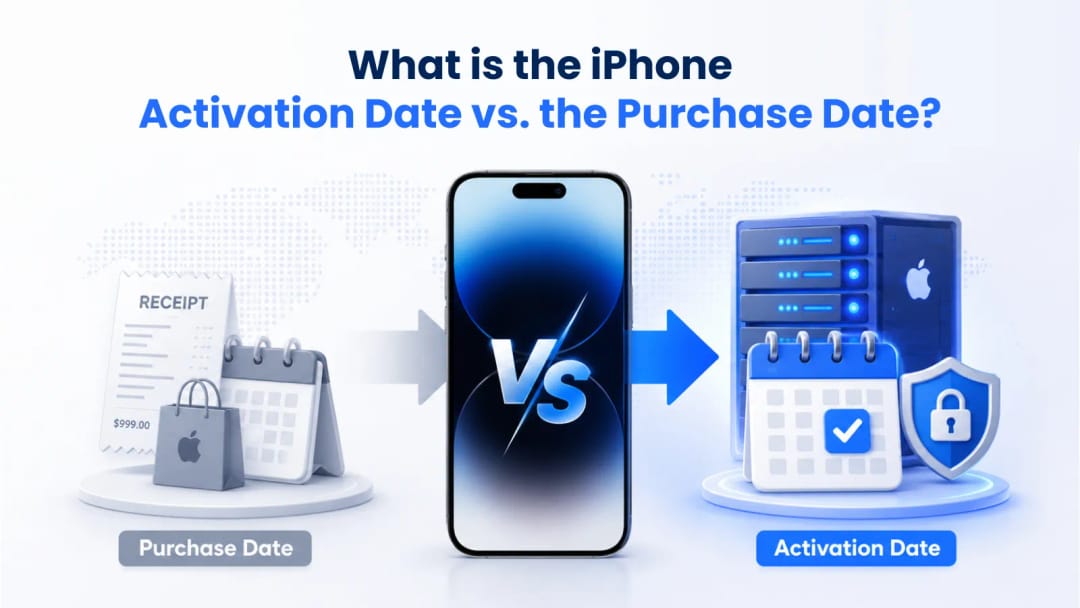
Legally, an iPhone’s one-year warranty starts on the date of retail purchase. In any dispute with Apple, the original receipt is the ultimate source of truth. But on the secondary market, the purchase date lies. Receipts are incredibly easy to forge, making it trivial for scammers to pass off resealed hardware as factory-fresh. That is why the activation date—the exact moment the phone first pings Apple’s servers to log its initial use—remains your best defense. The receipt might secure your legal rights, but only the server logs reveal the device's true history.

Buying a used phone means avoiding a market flooded with "brand new in box" scams. A shrink-wrapped box doesn't guarantee a factory-fresh device. Anyone with a cheap heat sealer can repackage a used, repaired, or stolen phone. The only real proof of a device's history is Apple's server logs. Once you know how to read them, you can spot a scam from a mile away.
How the Hardware Warranty Works
Apple's standard one-year warranty covers manufacturing defects and failing hardware. It specifically excludes accidental damage. But here is the important part: that coverage is tied to the device's serial number, not the original buyer.
Buy a used iPhone, and whatever is left on that 365-day clock is yours. You don't need the original owner's permission. You don't need their Apple ID. A Genius Bar tech just pulls the warranty status directly from the activation ledger.
Standard coverage attaches to the device hardware automatically. Paid-in-full AppleCare+ plans stay with the device serial number, though monthly or agreement-based AppleCare+ plans require the original owner to transfer or reassign the coverage profile.
Finding the Activation Date
You can pull the exact activation date using Apple's Check Coverage portal. You just need the device's serial number or IMEI. Subtract one year from the displayed warranty expiration date gives a close estimate of the activation date, assuming no extended AppleCare+ policies alter the coverage timeframe.
Getting those numbers is straightforward. If the phone is already set up, head to Settings > General > About. If it’s still on the "Hello" screen, tap the "i" icon in the corner. You can also just open the dialer and type *#06# to flash the hardware identifiers directly on the screen.
Once you have the IMEI or serial number, plug it into the Apple Check Coverage site. Look for a green checkmark next to "Repairs and Service Coverage" to see the expiration date.
.webp&w=1080&q=100)
Decoding the Results
The lookup tool tells you exactly what Apple thinks of the phone. If the results look weird—like an error message or a prompt to "Update Purchase Date"—you might be looking at a grey-market import or a stolen enterprise device.
If it says "Coverage Expired," the phone was activated over a year ago. The seller is lying about it being new. If it asks you to "validate your device's purchase date," the phone was likely bought from an unauthorized reseller whose point-of-sale systems don't talk to Apple. The servers know the hardware exists, but they're waiting for a valid receipt to start the clock.
Under the Hood: Telemetry and Activation
When an iPhone powers up and finds a connection, the setup assistant sends a cryptographic handshake to albert.apple.com. That ping permanently registers the hardware and starts the warranty countdown.
This backend system is locked down tightly:
- The activation server authenticates the OS using a unique ticket combining the IMEI, Serial Number, and Unique Device Identifier (UDID).
- Even without an Apple ID, a raw cellular ping triggers a baseband activation that registers with both the carrier and Apple.
- Third-party refurbishers can't reset this date. Only Apple Certified Refurbished units receive a completely new serial number, enabling a fresh full-year warranty starting upon resale and activation.
- Apple logs the activation timezone via IP address to block cross-region warranty fraud.
At IMEI Best, we see this scam constantly. Never trust a printed receipt from a third-party seller as proof of a brand-new device. Always demand the IMEI before handing over your money. Run it through the coverage checker. If the warranty expires even one day short of a full year from today, that box was resealed. The phone is used.
When the Purchase Date Actually Matters
The purchase date isn't totally useless. It's legally binding for consumer protection laws and is your ultimate get-out-of-jail-free card if you lock yourself out of your iCloud account. If you need Apple to remove an Activation Lock, they don't care about the activation date. They want the original store receipt showing the date, location, and serial number.
Feature | Purchase Date | Activation Date |
Source of Truth | Retailer receipt or invoice | Apple's activation servers |
Modifiability | Easily forged with basic software | Verifiable server-side proof |
Primary Use | Proving ownership for account recovery | Determining remaining hardware warranty |
Fraud Indicator | Weak (receipts can match stolen boxes) | Strong (reveals actual usage history) |
Dodging Scams, MDM, and Carrier Locks
Checking the activation status is your best defense against buying a brick. A device that refuses to activate is a massive red flag.
Thieves routinely steal fresh phones, realize they are iCloud-locked, and try to offload them quickly. Force the seller to let you check the IMEI on Apple's site and walk through the initial setup. If the phone asks for a corporate login, hand it back. That device is tied to an enterprise Mobile Device Management (MDM) profile.
MDM lets companies remotely wipe and lock hardware. Scammers use temporary bypass software to hide the MDM profile so the phone looks clean. The second you update iOS or factory reset the device, it reaches out to Apple Business Manager, downloads the profile, and locks you out permanently.
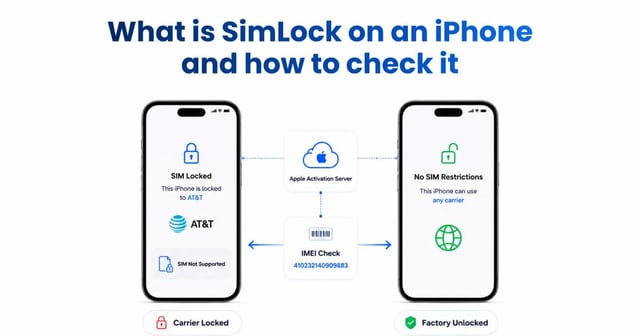
Activation profiles also control carrier locks. This isn't handled locally on the phone; it's a server-side rule. When the iPhone activates, it checks with Apple to see which SIM cards it's allowed to use. If the original owner defaulted on an AT&T payment plan, the carrier tells Apple to lock the activation policy. Always check Settings > General > About > Carrier Lock. If it reads "No SIM restrictions," the activation policy is clear and the phone is yours to use.
Suggestion for you

How to Check Your iPhone Activation Date And Why the Purchase Date Doesn't Matter
Confused about when your Apple warranty actually begins? Learn the critical difference between purchase and activation dates to avoid buying scams.
Read moreJul 31, 2026
What Is SimLock on an iPhone and How to Check It
Avoid buying a tied device. Discover what an iPhone carrier lock is and how to instantly check your IMEI SimLock status to ensure the phone is unlocked.
Read moreJul 30, 2026
What is an IMSI Number?
What an IMSI number is? How it differs from an IMEI, and simple ways to check and locate your IMSI code.
Read moreMay 25, 2026