Lost Your Phone? How to Check if It Was Successfully Added to the GSMA Blacklist
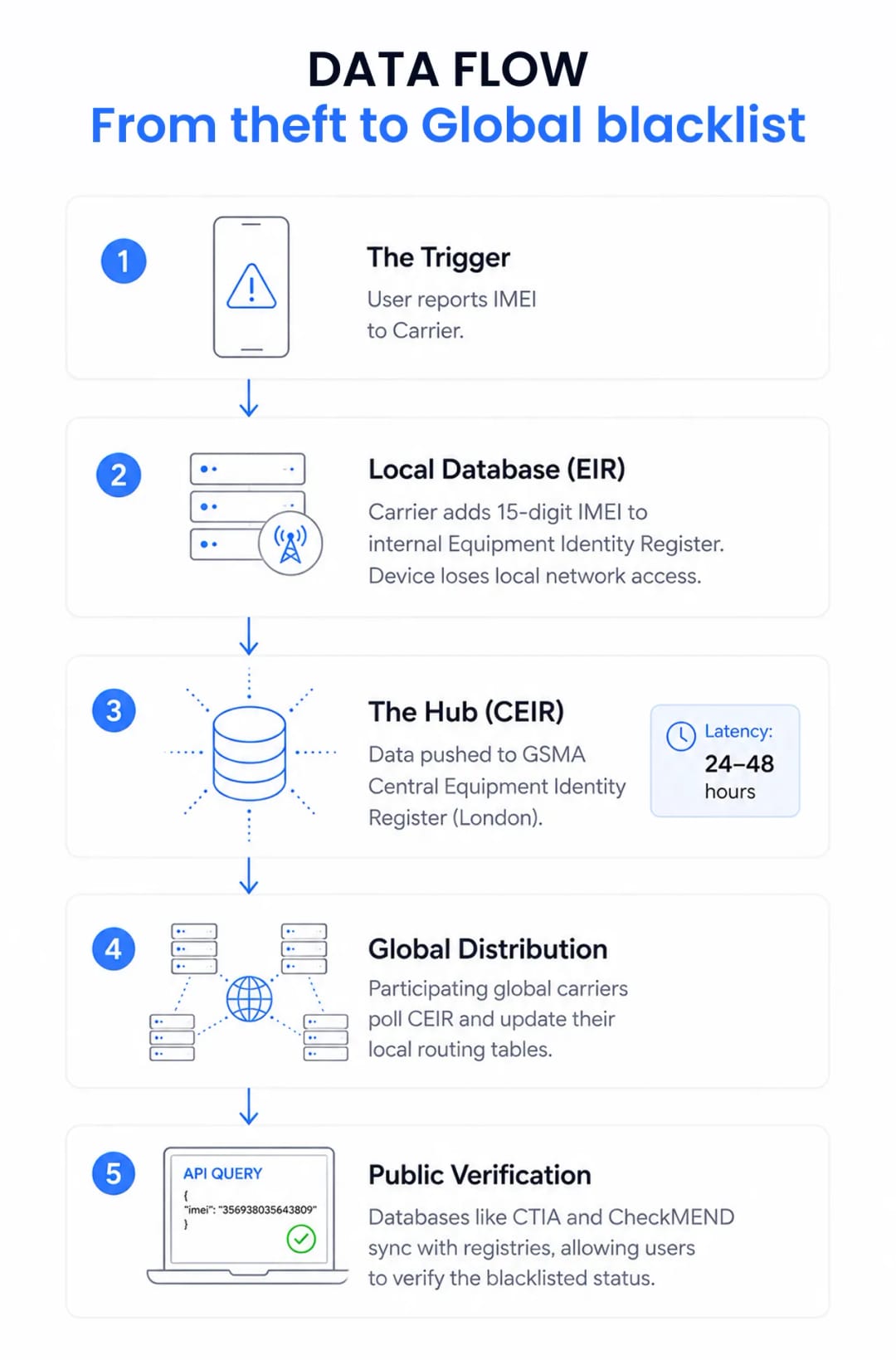
Report a stolen phone, and your carrier flags its International Mobile Equipment Identity (IMEI) number in their local Equipment Identity Register (EIR). This local database syncs with the central GSMA registry, locking the device out of participating cellular networks worldwide.
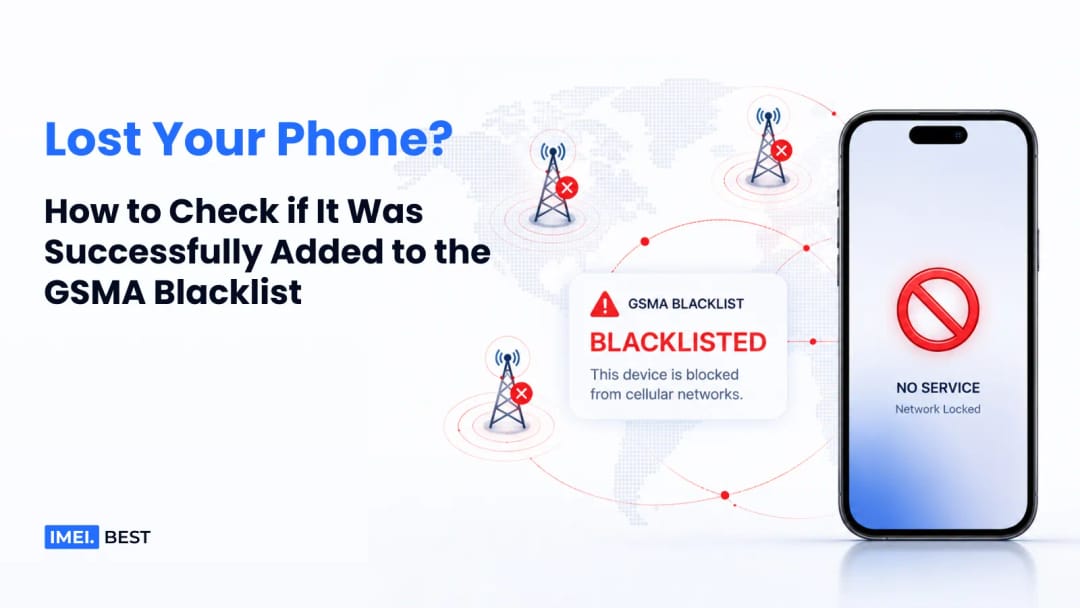
The IMEI is your phone's cellular fingerprint. Every time the device tries to ping a cell tower, the network checks the hardware against its EIR. If it’s blacklisted, the connection drops at the routing level. You get a "No Service" or "Network Locked" error. Swapping the SIM card does nothing. This neutralizes the phone's primary value as a communication device. The block applies strictly to cellular baseband communication; the device can still connect to local Wi-Fi networks even if unauthorized access to the local operating system occurs.
The Mechanics of the GSMA Device Registry
The GSMA Device Registry is a global clearinghouse where carriers share blocklists. Once an IMEI hits this central database, participating networks across the globe refuse service to that specific hardware.
Run out of London, the registry relies on regional syncs. When a US carrier like AT&T or T-Mobile blacklists a phone locally, that data gets pushed to the GSMA’s Central Equipment Identity Register (CEIR). Other participating carriers pull that data to update their own routing tables. It isn't instant. Depending on the carriers involved and server polling frequencies, it can take 24 to 48 hours for a local block to propagate globally.
Verifying the Blacklist Status
How do you know if the carrier actually followed through? You check the IMEI against public-facing portals plugged into telecom APIs.
In the US, the wireless industry association (CTIA) runs the Stolen Phone Checker. Punch in your IMEI, and it queries aggregated carrier data. If the database update worked, you'll see a red flag indicating the device is registered as lost or stolen. Don't take a customer service rep's word for it. Audit the database yourself.
Retrieving Your IMEI Without the Phone
You don't need the physical device to find the IMEI. It’s printed on the original packaging barcode and your carrier billing statements. You can also pull it from your cloud dashboard. Apple users can log into appleid.apple.com and select their device to view the IMEI and serial number. Android users can achieve the same result at google.com/devices. You need this number before you talk to law enforcement or telecom fraud departments.
Checking Public Databases
Tools like CheckMEND go deep, aggregating GSMA data alongside law enforcement and pawnshop records. Swappa offers a free, basic checker that taps the GSMA database to confirm activation eligibility. You'll typically see output statuses categorized as "Clean" (ready to activate) or 'Lost/Stolen' (blacklisted), while internal carrier databases may additionally flag 'Financed' status.
Carrier Blacklisting vs. Activation Locks
People often confuse network security with software security. They do two different things. An activation lock secures the operating system and your user data. An IMEI blacklist cuts off network access entirely.
Feature | GSMA IMEI Blacklist | Activation Lock (iCloud / FRP) |
Primary Function | Denies cellular network connection. | Denies access to the operating system. |
Controlled By | Cellular Carriers & GSMA. | Device Manufacturer (Apple, Google). |
Trigger Mechanism | Manual report to carrier/police. | Automatic upon binding to cloud account. |
Target Hardware | Cellular Baseband Modem. | Motherboard / Secure Enclave. |
The Hidden Architecture of Global Blacklists
Global blacklists rely on asynchronous database syncing. Technical bottlenecks and varied international compliance create massive loopholes in the system.
- The Offshore Loophole: The GSMA registry requires voluntary compliance. Plenty of carriers in Asia, Africa, and South America don't subscribe to the CEIR. A phone blacklisted by AT&T in New York will work flawlessly on a local network in a non-participating country.
- Network Caching Latency: To efficiently handle millions of network authentications, carriers cache EIR database entries locally, which can create a delay before newly added flags take effect.
- Database Fragmentation: There is no single global master database. The GSMA CEIR, the FBI's NCIC, and private retailer databases operate in silos, leading to frequent data mismatches.
Does a Police Report Trigger a Block?
A police report does not automatically blacklist your phone. Law enforcement agencies log stolen property in crime databases. You have to independently request a network block through your cellular provider.
In the US, police log stolen serial numbers in the National Crime Information Center (NCIC). That system alerts cops during traffic stops or pawn shop audits. It has zero connection to telecom routing infrastructure. Carriers do not pull data from the NCIC.
Expert Insight: At IMEI Best, we see this misconception constantly as developers. Never assume a police report equals a network block. Law enforcement systems track property for recovery, but they lack write-access to telecom routing tables. You have to force the issue. Call your carrier's fraud department with your police report case number in hand.
Why Might a Stolen Phone Show as Clean?
If a stolen phone shows up as "clean," a few things could be happening. The most common is sync delay. If you report a phone stolen at 10:00 AM, a public checker might not show the flag until the next day because third-party APIs cache responses to save bandwidth. Human error is another factor. Frontline carrier reps often forget to finalize the database entry. Finally, unauthorized hardware alterations may have occurred before your carrier processed the block.
Post-Theft Device Recovery Protocol
If your phone is gone, move fast to lock it down. Start by wiping the hardware. Use Apple's Find My or Google's Find My Device to send a remote erase command, which triggers the second the phone connects to any network. Next, skip standard tier-one carrier support. Ask directly for the fraud or lost/stolen department to ensure the IMEI hits the EIR. Get a reference number. Take that reference number, your IMEI, and the hardware serial number, and file a police report. Wait 48 hours. Then, audit the carrier's work by running the IMEI through the CTIA Stolen Phone Checker.
Suggestion for you

How to Check an iPhone’s Activation Date (And Why the Purchase Date Lies)
Don't trust the purchase date when buying a used iPhone. Learn how to check Apple's server-side activation date to verify the warranty and avoid scams.
Read moreAug 12, 2026
Carrier Lock vs. Activation Lock: The Invisible iPhone Restrictions Explained
Buying a used iPhone? Learn the technical difference between a Carrier SIM Lock and an iCloud Activation Lock, plus exactly how to verify both statuses securely.
Read moreAug 11, 2026
How to Check Your iPhone Activation Date And Why the Purchase Date Doesn't Matter
Confused about when your Apple warranty actually begins? Learn the critical difference between purchase and activation dates to avoid buying scams.
Read moreJul 31, 2026