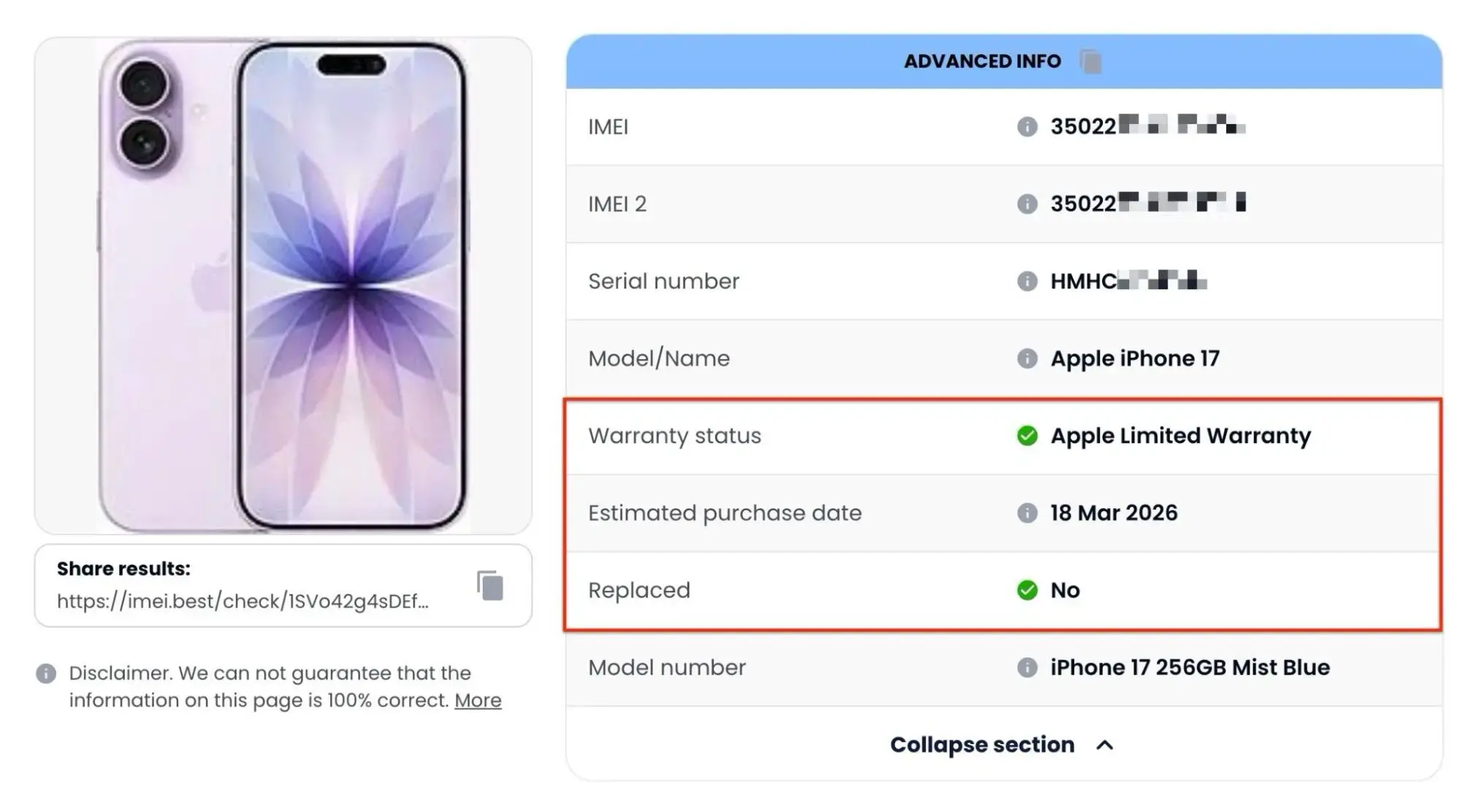
What is this section about? This section provides the official factory warranty status and basic service-related records for the device.
What you might see here: Depending on the brand, scrolling down to the ADVANCED INFO section will typically reveal:
Warranty status: Indicates whether the official manufacturer warranty is still active, expired, or unavailable.
Estimated purchase date: The estimated date the phone was originally sold.
Replaced: Indicates whether this specific device was officially issued by a service center as a warranty replacement.
The ADVANCED INFO section displays the device's warranty status, estimated purchase date, and whether it is a replacement unit.
Why might this data be missing? If these fields are empty or say "Unknown," don't panic. This is a completely normal result for a basic check. Most often, this happens because:
You are checking an older model whose active warranty records are no longer stored by the manufacturer.
Some brands intentionally restrict public access to their warranty databases.
The absence of warranty data does not mean the phone is fake or problematic.
Common Misconceptions:
"The warranty is active, so the phone must be in perfect condition!" Not quite. Warranty status is just a date in a database. It doesn't guarantee that the phone doesn't currently have a cracked screen or water damage.
"The warranty is expired, so the phone must be dying." Also false. It simply means the standard one- or two-year coverage period has passed since its original sale. For the used phone market, an expired warranty is completely standard.
What this data will NOT show you:
Eligibility for free repairs right now. Even if the status says "Active," a service center will still physically inspect the phone (standard warranties do not cover accidental damage like shattered screens).
Proof of purchase. While the report shows an estimated date from the database, it does not replace a physical receipt from the seller.
What to check next?
Reviewed all the specs? Great. The final and most critical step before buying a used phone is ensuring it hasn't been reported lost or blocked by a carrier for unpaid bills. Always run a Blacklist check for total peace of mind.
Does the purchase date match what the seller told you? If not, ask for an explanation. If the report shows Replaced, ask the seller why the device was replaced.