Sometimes you buy a phone, pop in your SIM card, and… nothing happens. No signal, no service, just frustration. It might look like everything’s fine on the outside, but the device refuses to connect to a carrier. One of the most common reasons for this is something called a bad ESN. If you’ve never heard of that before, don’t worry - you’re not alone. A lot of people confuse it with being locked to a carrier or even with iCloud issues, but it’s a totally different thing.
In this guide, we’re going to break it all down in simple terms. You’ll find out what a bad ESN actually means, how to check if a phone has one, why it happens, and - most importantly - what you can do to fix it. Whether you’re flipping phones, buying secondhand devices, or just trying to understand what’s going on with your current mobile, this info is for you.
What is an ESN number?
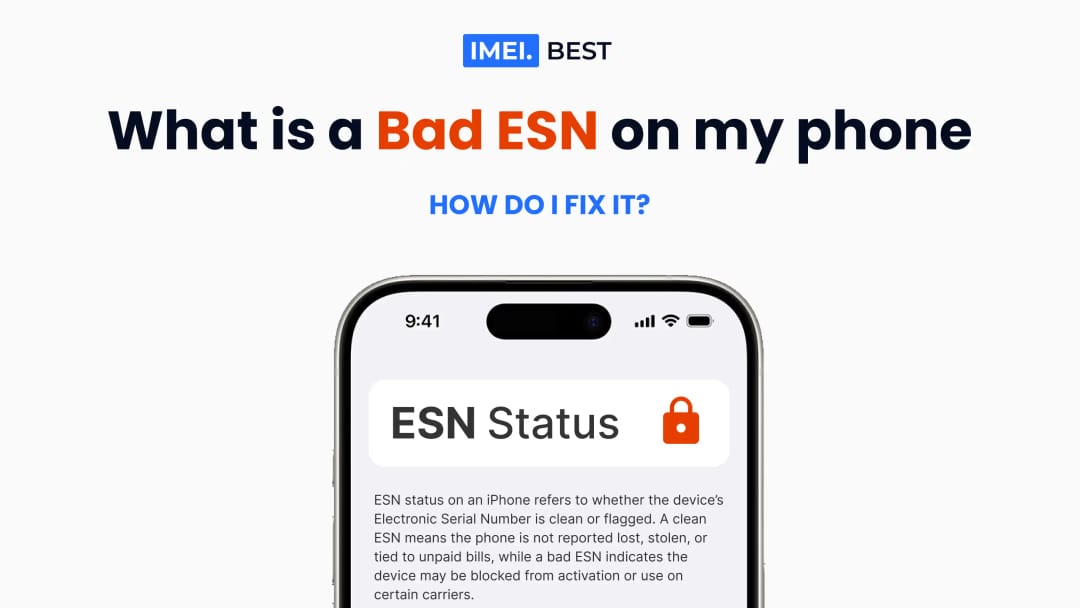
An ESN number, or Electronic Serial Number, is a unique code used to identify a mobile device on certain wireless networks. It’s kind of like an ID number for your phone. Carriers use it to recognize and verify the device when it tries to connect to their network. If the ESN is clean, the phone should work without any issues. But if the ESN is bad or blocked, the phone might not activate or connect to the network at all.
The ESN was mostly used with older CDMA networks, such as Sprint and Verizon in the U.S. Even though most modern devices now use IMEI numbers, the term “ESN” is still commonly used, especially when talking about device status in the resale market.
The ESN plays an important role in how your phone works with carriers, and it can affect the value, usability, and even the legality of reselling a device. If you’re buying or selling a used phone, understanding what an ESN is - and what it means when it’s bad - is a big deal.
Here’s what you need to know about the ESN:
- It’s assigned by the manufacturer
Each device gets a unique ESN during production. No two phones share the same number. - It helps identify the phone on a mobile network
When you insert a SIM card and try to use the device, the network checks the ESN to decide whether to allow service. - It can be clean or bad (also called blacklisted or dirty)
A clean ESN means the phone is ready to activate. A bad ESN usually means it was reported lost, stolen, or the account has unpaid bills. - It is connected to the original account
If a person finances a phone and doesn’t finish paying for it, the ESN can be blocked by the carrier. - You can find it in several places
On most phones, the ESN or IMEI can be found in the settings under “About Phone,” on the original box, or by dialing *#06#.
Knowing what an ESN number is - and why it matters - is key when dealing with secondhand devices. It’s one of the first things you should check if you're buying a used phone. A quick ESN or IMEI check can help avoid a lot of future issues with activation or carrier service.
Is ESN the same as the IMEI number?
ESN and IMEI are both unique numbers used to identify mobile devices, but they’re not exactly the same. They serve a similar purpose, yet they come from different systems.
ESN stands for Electronic Serial Number, and it was mainly used on CDMA networks, like Sprint and Verizon in the U.S. These numbers were used to activate and track devices on a specific carrier’s network.
IMEI stands for International Mobile Equipment Identity. It’s the modern version of device identification and is now the standard across most GSM networks, such as AT&T and T-Mobile. Unlike the ESN, which is limited to older systems, the IMEI is used worldwide.
Here’s the key difference:
- ESN is older, mostly U.S.-based, and tied to CDMA.
- IMEI is newer, more global, and used on GSM networks.
Most phones today use an IMEI number instead of an ESN. But people often use the terms interchangeably when talking about checking or verifying mobile devices.
How to find the ESN number?
Finding the ESN number on your phone is simple and doesn’t take much time. Most devices show it in the settings, but there are a few different ways to check depending on the phone model.
Here’s where you can look:
- Dial *#06#
This is the fastest method. Just open the phone app, type *#06#, and the ESN or IMEI will pop up on the screen. - In the phone settings
Go to Settings > About Phone and scroll down to find the ESN, IMEI, or MEID number. - On the original box
If you still have the packaging, the number is usually printed on a sticker with other device info. - Under the battery (older phones)
On phones with removable batteries, the ESN is often printed on a label under the battery.
Always make sure to write the number down carefully. You’ll need it if you want to check the device status, sell the phone, or unlock it later.
What is a Bad ESN?
A bad ESN usually means something isn’t right with the phone’s status. It’s a sign that the device has been blocked by the carrier for one reason or another. Even if the phone turns on and looks fine, it won’t connect to mobile networks if the ESN is bad. This can cause confusion, especially for people buying secondhand phones without checking the numbers first. That’s why using tools like a S/N Check - a service that verifies the serial number of a mobile device - is so important before making any purchase.
Understanding what a bad ESN means is important if you're buying, selling, or repairing devices. In the next sections, we’ll go over what exactly it means when an ESN is bad, why it happens, and what can cause it in the first place.
What does bad ESN mean on the phone?
A bad ESN means the phone’s unique electronic serial number has been flagged by the carrier. When this happens, the phone is blocked from being activated on most networks. It doesn’t matter if the device is working physically - if the ESN is bad, you won’t be able to use it for calls, texts, or mobile data with a SIM card.
Many people think a bad ESN means the phone is locked to a specific carrier, but that’s not exactly true. A locked phone can still have a clean ESN. The difference is that a phone with a bad ESN is blocked entirely - even if it’s unlocked. You could insert a SIM card, but the device just won’t connect.
Phones with bad ESN are often sold as parts only or for Wi-Fi use only, because they can’t connect to a mobile network in the U.S. However, they might still work in other countries, depending on the carrier and region. That’s why some people continue buying and flipping bad ESN phones for overseas use.
Here’s what a bad ESN might look like in action:
- You insert a SIM card, and the phone says No Service or Emergency Calls Only
- You try to activate it, but the system says the phone is not eligible
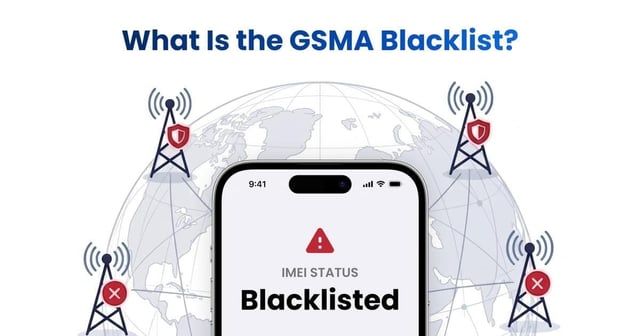
- A Free IMEI check shows the phone is blacklisted or reported as lost/stolen
When you see the phrase “bad ESN,” think of it as a warning sign. The phone’s history includes something that triggered the block - and until that’s fixed, mobile use will be limited.
Why my phone has a bad ESN?
If your phone has a bad ESN, there’s usually a reason tied to the account or history of the device. It doesn’t happen by accident. Carriers flag phones with a bad ESN when something about the phone’s usage breaks their rules or policies. The most common reason is unpaid bills - if the original owner stopped paying on a financed phone, the carrier may block the ESN.
Another reason is that the phone was reported lost or stolen. In that case, the carrier blacklists the number to prevent anyone from using it. This also protects the original user if the phone was taken or misplaced.
Sometimes, a phone is still active on another account. If someone tries to sell it before fully disconnecting it, the ESN stays tied to that original account and can’t be activated by someone else.
No matter the cause, the result is the same: the phone becomes unusable on most carriers until the issue is cleared up.
What causes a bad ESN?
- Unpaid balance
If a phone was financed and the owner stopped making payments, the carrier may block the ESN. - Reported lost or stolen
When someone reports a phone as missing, carriers often blacklist the ESN to prevent it from being reused. - Account still active If the device is still linked to an active account, it can’t be reactivated by someone else.
- Insurance fraud Some people report phones as lost to get a replacement, then sell the original - which ends up blacklisted.
Each of these situations can trigger a bad ESN status, making the phone unusable on most networks.
How to check your phone for a bad ESN?
- Dial *#06# on the phone
This shows the IMEI or ESN number on the screen. You’ll need this number to run any checks. - Use a Free IMEI Check tool
Copy the number and search online for a free ESN or IMEI check website. These tools will tell you if the device is blacklisted, lost, stolen, or has a clean status. - Check with the original carrier If you know which carrier the phone came from, you can contact them directly. They can confirm if the phone is clean, financed, or flagged.
- Look at your account If the phone was originally yours, log into your mobile account and check the device status. If it's still active or unpaid, that could be the problem.
Checking the ESN only takes a few minutes, but it can help avoid buying a phone you can’t use - or explain why your current one isn’t working.
How to fix a bad ESN?
- Contact the carrier
If you’re the original owner, call the carrier and ask what caused the block. Sometimes, paying off the balance or meeting certain conditions can restore the ESN. - Ask the seller for help
If you bought the phone from someone else, reach out and ask if they can clear the issue. They might need to contact their carrier or remove the device from their account. - Use the phone internationally Some phones with a bad ESN in the U.S. still work with foreign carriers. This is why people flip bad ESN phones for use overseas.
- Try online unlock services There are websites that claim to fix or “clean” bad ESN and blacklisted IMEI numbers. Some may work, but be careful - not all are safe or legit.
In most cases, fixing a bad ESN depends on who originally owned the phone and what caused the problem. If you can’t fix it, the device might still be useful for Wi-Fi, parts, or resale in certain markets.
A bad ESN doesn’t mean your phone is broken - but it does mean you can’t use it normally on most mobile networks. Understanding what an ESN is, what causes it to go bad, and how to check or fix it can save you from buying a useless device or help you get your own phone working again. Whether you're flipping phones or just trying to make sense of a network issue, knowing how to check and handle a bad ESN is a smart move.